
Character Design Sheet helper for Z-Image Turbo: three views and a color palette
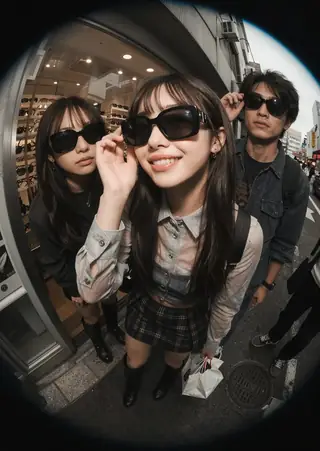
Fast Facts:
Character Design Sheet (HELPER) (3-PERSPECTIVES)+(COLOR PALETTE) by YeiYeiArt has versions for Illustrious, Flux, Pony, SD 1.5 and this Z-Image Turbo build, which the author calls fast and extremely flexible across anime, semi-realistic and cartoon styles.
Trigger: CharacterDesignIZT. Suggested structure: (Trigger). This is a Character design sheet showcasing a stylized depiction of a (subject), rendered in a vibrant, (Art Style). The background is white, A color palette swatch is included in the image, showcasing the main colors...
Reference
Name | Type | What it is |
|---|---|---|
Trigger | CharacterDesignIZT | First. |
Structure | sentence template | Subject, art style, white background, palette swatch. |
LoRA weight | 0.8-1.0 | |
Steps / CFG | 8 / 1 | |
Aspect | landscape | 16:9 fits three views. |
Step by step
- CharacterDesignIZT. This is a Character design sheet showcasing ... (fill subject and style).
- State white background and a color palette swatch.
- Landscape canvas, 8 steps.
- Ask for front, side and back views explicitly if they are missing.
- Iterate on outfit details with the same seed.
Examples
Anime character
CharacterDesignIZT. This is a Character design sheet showcasing a stylized depiction of a cheerful young adventurer woman with a backpack and goggles, rendered in a vibrant, anime-inspired art style. The background is white, A color palette swatch is included in the image, showcasing the main colors. Front, side and back views.
Robot
CharacterDesignIZT. This is a Character design sheet showcasing a stylized depiction of a friendly delivery robot with a round body and antenna, rendered in a clean cartoon style. The background is white, A color palette swatch is included.
Creative idea: creature
CharacterDesignIZT. This is a Character design sheet showcasing a stylized depiction of a moss-covered forest spirit with lantern eyes, rendered in a painterly semi-realistic style. White background, color palette swatch, three perspectives.
Tips
- Works for creatures, robots and props as well as people.
- Name the style (vibrant anime-inspired, painterly semi-realistic).
- Add small callouts: close-up of the boots.
- Keep the character description focused.
Troubleshooting
Only one view
Why it happens
Views not stated.
How to fix it
Write front, side and back views.
Palette missing
Why it happens
Sentence omitted.
How to fix it
Include the color palette swatch sentence.
Questions
Trigger?
CharacterDesignIZT.
Other bases?
Illustrious, Flux, Pony and SD 1.5 builds exist.
Links and sources
Models in this guide
Written by
Runs this ship. Has opinions about VAE decode times that nobody asked for. Believes weights want to be free and that any model you cannot download is a subscription with extra steps. Will not be taking questions about the 400 GB of checkpoints on the NAS.
All guides by Captain
Related guides
NiceGirls UltraReal Asian edition for Z-Image Turbo: natural East Asian portraits
Oct 3, 2026

Cinematic Shot for Z-Image Turbo: color-graded, filmic frames
Sep 30, 2026
DetailDeamonZ slider for Z-Image Turbo: from ultra-clean to detail explosion
Oct 1, 2026
Midjourney Luneva Cinematic LoRA for Z-Image Turbo: cinematic vibe without a fixed style
Oct 1, 2026
More guides
Lenovo UltraReal for Z-Image Turbo: real-camera texture in 8 steps
Sep 30, 2026
NiceGirls UltraReal for Z-Image Turbo: natural, unretouched portraits of women
Oct 2, 2026
Flux vs SDXL vs SD 1.5 vs Qwen vs Z-Image: which model family to use in 2026
May 22, 2026
What is a LoRA and how to use one in ComfyUI, Forge, Automatic1111 and on the cloud
May 20, 2026
Z-Image Turbo ComfyUI workflow: photoreal portraits in 8 steps
Oct 9, 2026