
LTX 2.3 Crisp Enhance: sharper, more cinematic video detail

Fast Facts:
LTX 2.3 Enhancers are a pair of LoRAs for Lightricks' LTX 2.3 video model. Crisp Enhance pushes a sharper, more cinematic beautifier look with more micro-detail and contrast; Soft Enhance is the gentler counterpart that recovers detail while softening harsh contrast. Both can run together at different strengths for a custom finish.
Reference
Name | Type | What it is |
|---|---|---|
Crisp weight | 0.5-1.0 | 0.7 default. |
Soft weight | 0.3-0.8 | Optional counterweight. |
Mode | T2V | Also usable in I2V. |
Prompt | text | Cinematic descriptions with lighting and camera motion. |
Placement | after checkpoint |
Step by step
- Write a cinematic video prompt with camera movement.
- Attach Crisp Enhance at 0.7.
- Generate a short clip and check for over-sharpening.
- Add Soft Enhance at 0.4 if contrast is harsh.
- Lock the pair and reuse across clips.
Examples
Cafe scene
A young woman in her early twenties sits at a small table in a cozy cafe on a street of half-timbered houses, warm window light, the camera slowly pushes in.
Crisp Enhance 0.7
Portrait zoom
A tight close-up of a red-haired woman with green eyes and freckles, berry lipstick, the camera slowly zooms out to reveal a rainy window.
Crisp 0.6, Soft 0.4
Creative idea: product reveal
A mechanical watch on black velvet, a single light sweeps across its face, macro, slow motion.
Crisp Enhance 1.0
Tips
- Close-ups of faces and fabrics benefit most.
- Slow camera moves show the detail; fast pans hide it.
- If skin looks crunchy, raise Soft and lower Crisp.
- Describe light quality (soft window light) to avoid harshness.
Troubleshooting
Over-sharp, halos
Why it happens
Crisp at 1.0 on bright scenes.
How to fix it
0.6 plus Soft 0.4.
Flicker
Why it happens
High weights with fast motion.
How to fix it
Lower both and slow the camera.
Questions
Works on LTX-2?
Made for 2.3; test on 2.x variants.
Trigger?
None.
Links and sources
Models in this guide
Written by
Runs this ship. Has opinions about VAE decode times that nobody asked for. Believes weights want to be free and that any model you cannot download is a subscription with extra steps. Will not be taking questions about the 400 GB of checkpoints on the NAS.
All guides by Captain
Related guides
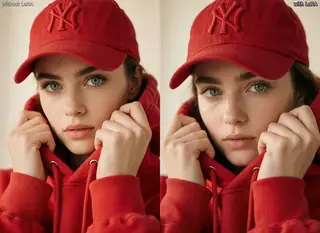
UltraReal for Krea 2 and Klein 9B: texture back into smooth AI images
Oct 2, 2026
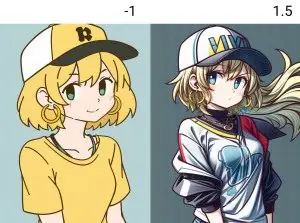
Absolute Reality 1.8.1: realistic people, fantasy and sci-fi on SD 1.5
Sep 29, 2026
Better Human Motion for MiniMax H3: natural, consistent body movement
Oct 1, 2026
Light Slider for Krea 2: deepen shadows while the subject stays lit
Sep 30, 2026
More guides
Best open-source AI video models in 2026: what you can actually download
Oct 14, 2026

Smooth Detail Booster: cleaner shading and more detail on Illustrious and Pony
Sep 29, 2026

LTX-2 text to video ComfyUI workflow: picture and sound from one prompt
Oct 9, 2026

LTX-2 image to video ComfyUI workflow: animate a still with synchronized sound
Oct 9, 2026

How to install Wan2GP: AI video and images on low-VRAM GPUs
Oct 8, 2026