
Elusarca's Krea 2 Smartphone Photography Slider LoRA
8732°
<smartphone-photo-krea2>
Apps that support ModelTrends tags let you run/install models by copying this code in your prompt with no setup. Look for our icon in apps that support it, like Prism (below).
Run this model
Offers / Ads

Easy Creator (Prism) Web
Unlimited · flat fee
Best for beginners. Describe what you want in a chat and the picture comes back, no learning curve.

PirateDiffusion Telegram
Unlimited · flat fee
Images and video from a chat, with short commands. The most convenient tool for Telegram users, with a web companion.

Pro studio (SpyGlass) Web
Unlimited · flat fee
Best for power users. Full control over models, settings and workflows in a browser studio.

Discord bot (Vector)
Unlimited · flat fee
Best for communities. Add it to your own server and run any workflow from a channel.

Unified Editor Web
Unlimited · flat fee
One screen for every model and workflow: prompts, references, edits and video, built into your Graydient account.

Civitai Web
Pay per use
Generate on Civitai's own site; every image is paid for with Buzz credits.

Local apps
Requires setup
Set up local programs if your computer has capable hardware.

ModelDuel Web
Pay per use
Generate the same prompt on up to 50 checkpoint/base models at a time.


by reverentelusarca - Elusarca's Krea 2 Smartphone Photography Slider LoRA - This LoRA is designed to push Krea 2 toward more convincing amateur photography, natural skin texture, and less polished image generation. It is a concept slider rather than a traditional style LoRA. It does not teach the model a new visual style. Instead, it reinforces details and photographic characteristics that are already present in Krea 2's learned knowledge. Recommended Strength Recommended range: 1.0 to 2.0 My current preferred strength is: 1.5 This is a very strong LoRA, so values above 2.0 may produce exaggerated results. Color Correction
Creator notes
This LoRA is designed to push Krea 2 toward more convincing amateur photography, natural skin texture, and less polished image generation.
It is a concept slider rather than a traditional style LoRA. It does not teach the model a new visual style. Instead, it reinforces details and photographic characteristics that are already present in Krea 2's learned knowledge.
Recommended Strength
Recommended range:
1.0 to 2.0
My current preferred strength is:
1.5
This is a very strong LoRA, so values above 2.0 may produce exaggerated results.
Color Correction
The raw output can be heavily oversaturated.
This is a side effect of the positive and negative concept prompts used during training. Removing the relevant color-related concepts significantly weakened the LoRA.
For best results, use a color correction node after VAE Decode.
My current setup uses the ComfyUI Color Correct node with saturation set between:
-15 and -20
Node I'm using:
You may also need to reduce contrast, temperature, or other values depending on the image.
The example images have been color corrected. Do not expect the raw LoRA output to match them without a similar correction step.
Sampler Setup
I currently use a two-pass ClownSharkSampler workflow.
First Pass
-
Sampler: euler
-
Scheduler: beta
-
Steps: 12
Second Pass
-
Sampler: res4s_munthe-kass
-
Scheduler: kl_optimal
-
Steps: 3
My workflow is almost identical to the setup explained in this post:
Notes
-
Results depend heavily on the base prompt and sampler configuration.
-
Color correction is strongly recommended.
-
The LoRA can affect saturation and overall color balance.
-
It works best when the prompt already describes natural or amateur photography.
-
This is an experimental release and may not behave consistently across every subject, composition, or aspect ratio.
-
More detailed explanatory post about this LoRA:
SHA256
6468A57747EE8953036AEDC28EBA2034AD6355789151F4F85EF63260ED3FA2CE
Ranking badge
Updated Oct 22, 2026

Made this model? Show this badge on your page.
Paste it into your Hugging Face card or Civitai description.
Also ranked: #10 Hottest Krea2 model · #9 Hottest Krea2 LoRA
Not this creator?
Get your own badge
Elusarca's Krea 2 Smartphone Photography Slider LoRA Popularity Trend
Heat score since 21 Jul 2026
Heat score
8,732°
This week
▲
4.1%
8,723° then, 8,732° now
This month
▲
22.8%
8,687° then, 8,732° now
Past year
n/a
Wasn't released/tracked
7,000°
Floor
The scale runs from 0° to 9,999°. Everything below 7,000° is kept for models no source reports on yet, which carry a stand-in number there so lists stay complete. 7,000° is where measured data begins: a model with real data but almost no downloads sits at the floor, and the measurements fill the degrees above it. The floor says nothing about the model; only the degrees above it do, and they are what separates one model from another.
+1,138°
Civitai downloads
5,370 downloads of this exact version on Civitai. Downloads are the heaviest ingredient and are counted on a log scale: ten times the downloads adds the same 300°, so a model with a million downloads is not a thousand times hotter than one with a thousand. The six download sources share that one term, split between them in proportion to their counts.
+378°
Likes
330 likes and thumbs up across the sources. A like weighs half a download, on the same log scale.
+116°
Adoption rate
About 34 downloads a day, measured between two readings of the sources, never guessed from a lifetime average. Speed weighs a quarter of the download term, so a fresh surge shows without letting a one-day spike outrank years of use.
+100°
Family boost
+100° because this is a LoRA of a family this site is nudging forward right now. It is a bounded nudge inside the score and is listed here openly; it can never hide a model or outweigh a thousandfold difference in downloads.
Show detailed breakdown
Every number on this site can be checked. This model's heat score is 8,732°, and here it is built one ingredient at a time, with the running total after each: the floor, the degrees each source adds, the bonus for the kind of model and what the age of its weights takes away. The colors are the bands of the chart above. The glossary at the end defines every term.
- 1Start at the floor.Why 7,000° and not zero: the scale runs from 0° to 9,999°, and the part below 7,000° is reserved for models no source reports on yet, which carry a stand-in number there so the lists stay complete and never outrank a model with data. 7,000° is where measured data begins. A model with real data but almost no downloads sits here; everything that follows is measurement, and the room above the floor holds ten tenfold steps in downloads at 300° each. The floor is the same for every model, so it decides nothing; the degrees above it do.7,000°running total
- 2Add the downloads.5,370 download-equivalents in all, from Civitai downloads. Ten times the downloads adds the same 300°, so size matters but never runs away with the score.+1,138°8,138°running total
- 3Add the likes.330 likes and thumbs up, at half the weight of a download.+378°8,516°running total
- 4Add the adoption rate.About 34 downloads a day right now, measured between two readings, at a quarter of the weight.+116°8,632°running total
- 5Family boost.An open, bounded nudge for LoRAs of a family this site is pushing forward right now.+100°8,732°running total
- =The heat score.Where this model stands on every list of this site. Nothing else adjusts it.8,732°
Glossary: the terms used here
- Heat score
- One number for how much a model is used and wanted right now, from 0° to 9,999°. Every list on this site that says hottest is sorted by it and nothing else.
- Floor
- The 7,000° every model with real data starts from. The scale runs from 0° to 9,999°; the part below the floor is reserved for stand-ins (models without data), so that a model with data always ranks above one without. The floor is the same for everyone and decides nothing; the degrees above it are the measurement.
- Download-equivalents
- Everything the score treats as a download, added up: downloads themselves, each torrent seeder as 1,000, each AI Horde image and each run on a generation site as one.
- Log scale
- Counting by tens, not by ones: going from 1,000 to 10,000 downloads adds the same degrees as going from 10,000 to 100,000. It keeps giants from crowding out everything else.
- Likes
- Thumbs up and likes from every source, worth half a download each on the log scale.
- Adoption rate
- How many downloads a day a model gets right now, from the difference between two readings of a source. A quarter of the weight of the download term.
- Measured and estimated
- Measured means two readings of a source exist and the difference is real. Estimated means only today's total is known and the past is spread over the model's life; the site says which one it is showing.
- Seeder
- Someone who keeps a copy of the weights online for others to download over a torrent, or a hosted mirror doing the same. Each one counts as 1,000 downloads.
- AI Horde
- A volunteer network that generates images for free on donated computers. The number of images it has made with a model is public, and each counts as one download.
- Generation sites
- Sites that host their own copies of a model and let people generate with it, such as PixAI, SeaArt and Yodayo. Their downloads count like Civitai's and each generation run as one download.
- OpenRouter tokens
- A text model served through an API, such as Claude or GPT, has no weights to download, so its usage is measured in tokens: the pieces of text it read and wrote through OpenRouter, a gateway many apps use, over the last 30 days. Every 10,000,000 tokens count as one download. Source: OpenRouter (openrouter.ai/rankings), CC BY 4.0.
- Full model (checkpoint)
- The weights themselves, the file that generates on its own. It gets a bonus because add-ons depend on it.
- LoRA and embedding
- Small add-on files that steer someone else's weights toward a style, a character or a concept. They cannot run alone.
- Family and weights
- The base a model is built on, such as SD 1.5, SDXL, Flux or Wan. Every model inherits the release date of its family's weights.
- Age
- Degrees taken off for how long ago the family's weights came out: 150° a year, up to 750°. It keeps old downloads that had years to pile up from freezing the top of the list.
- Family boost
- A small, bounded nudge for LoRAs of a family this site is pushing forward right now, always listed in the breakdown.
- Stand-in score
- A stable number below the floor given to a model no source reports on yet, so lists stay complete. It never ranks above a model with data.
- New! (grace period)
- A model less than 7 days old shows New! instead of a score and holds no place in the rankings. Its score is computed from day one, but a model one day old grows faster than anything, so without the wait the week's #1 would always be whatever came out yesterday rather than what held up for a week.
- Trend
- How a model's growth over a period compares with the typical model's growth over the same period. Faster than typical reads as a rise, slower as a fall.
- Typical model
- The middle of the catalog: half the models with a figure grew faster over the period, half slower.
How this model's popularity has moved against the rest of the catalog: its growth in downloads, likes and usage over each period, measured against the typical model's growth over the same period, with its heat score at the time. Above the typical growth reads as a rise, below it as a fall. The past is reconstructed from today's totals, the model's first day and its measured download speed where two readings exist; a model that did not exist at the start of a period shows n/a.
Example renders
Prompts and settings shared by the people who made these renders on Civitai. Pick a render to see how it was made.
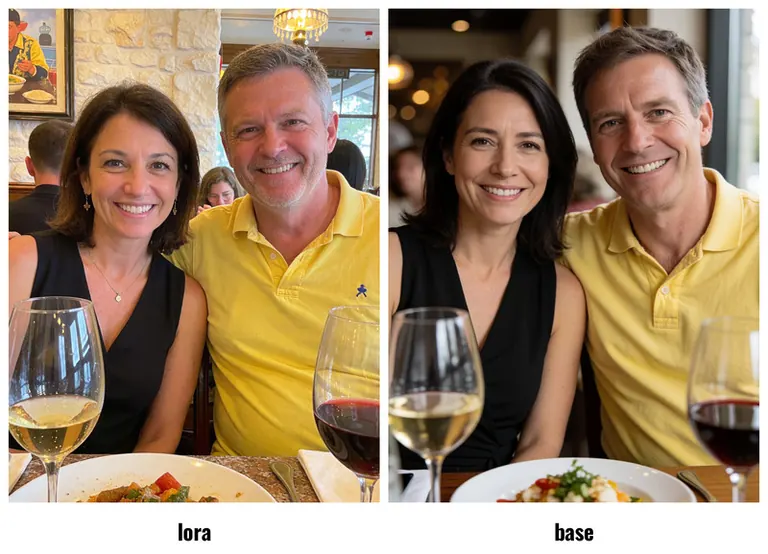
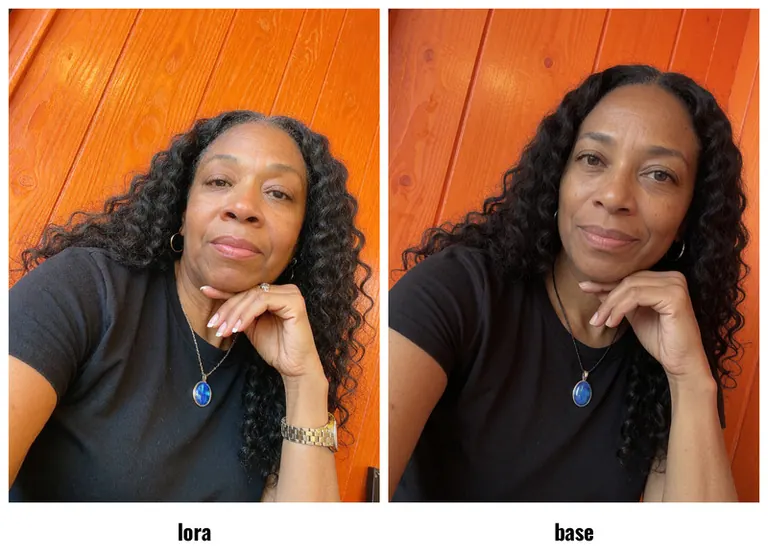
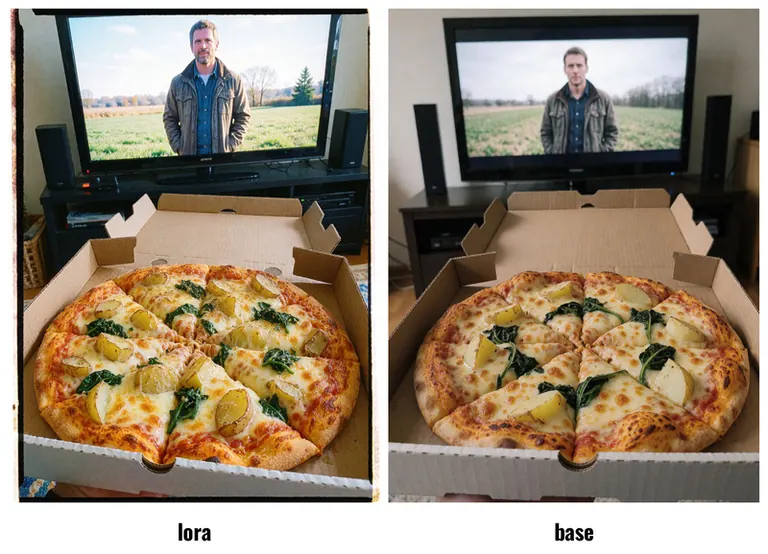
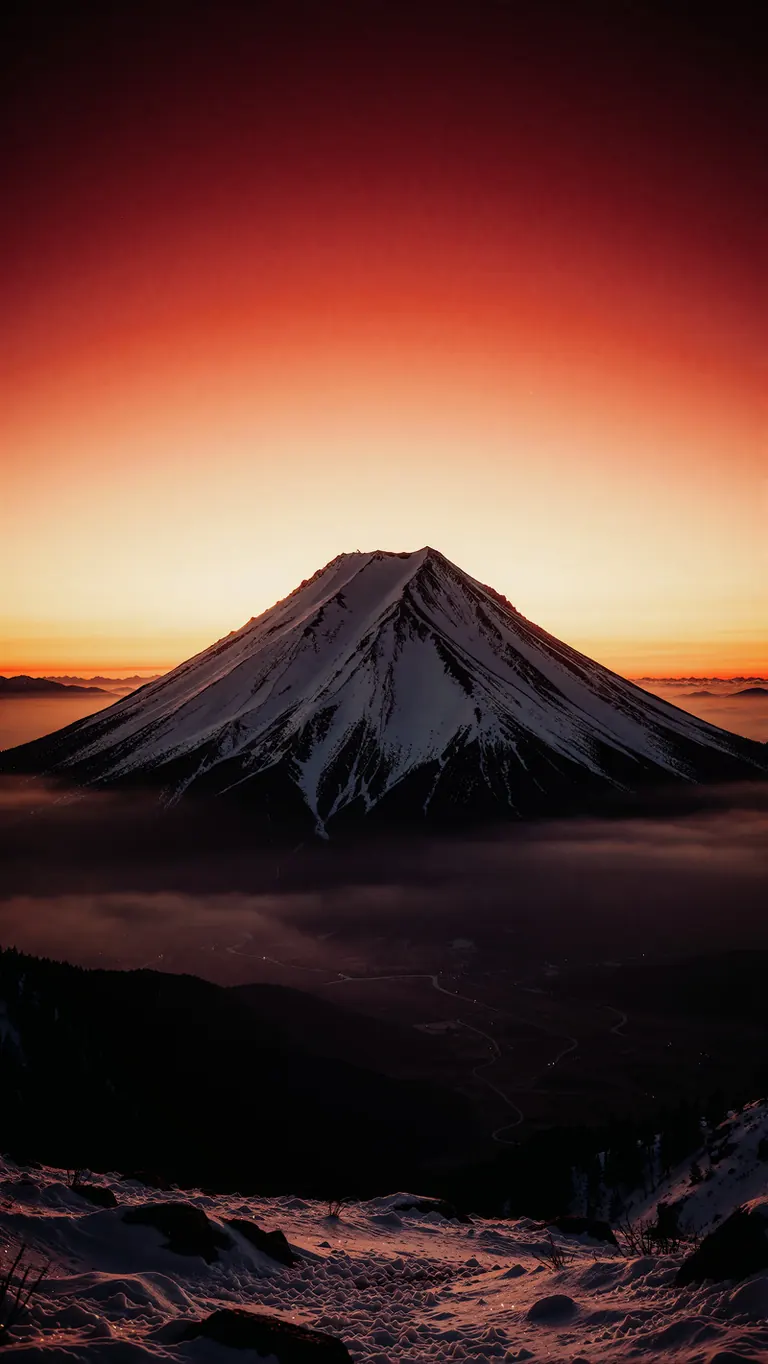
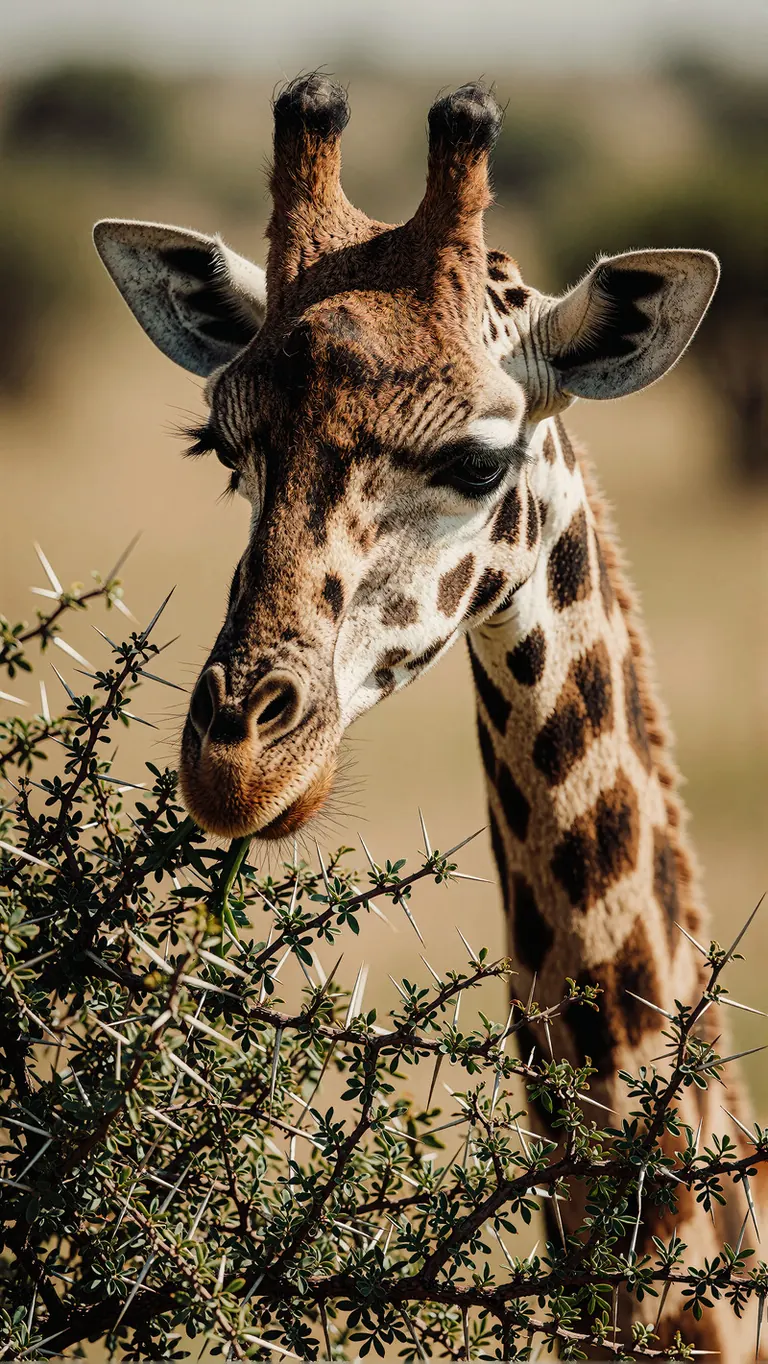
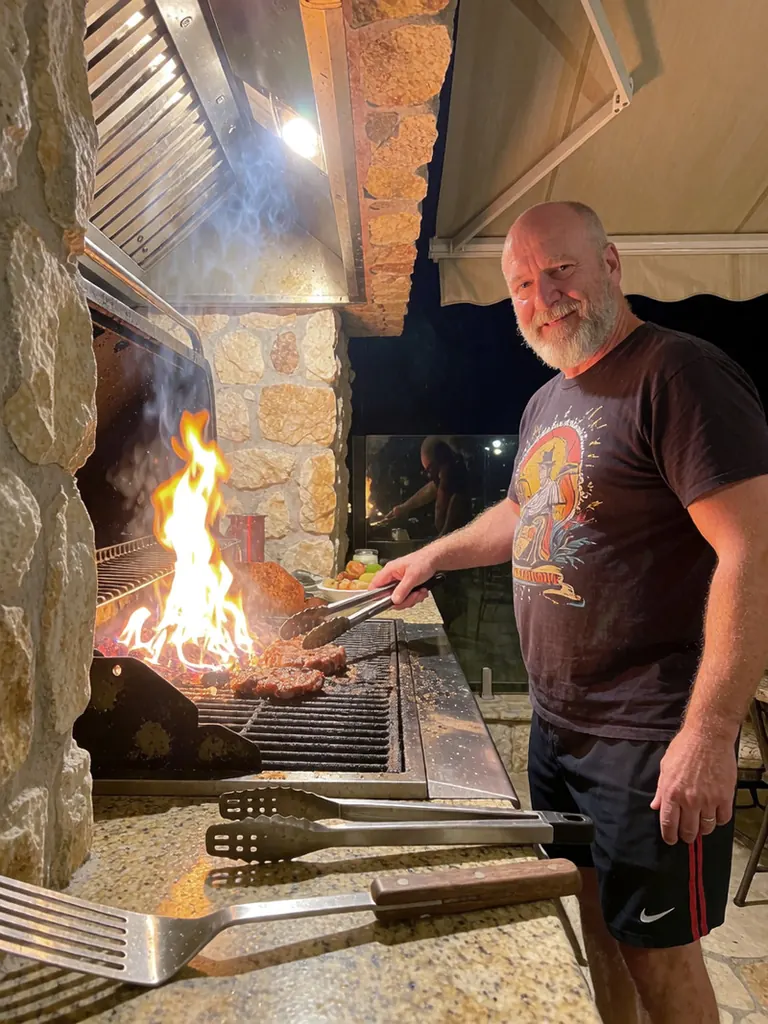
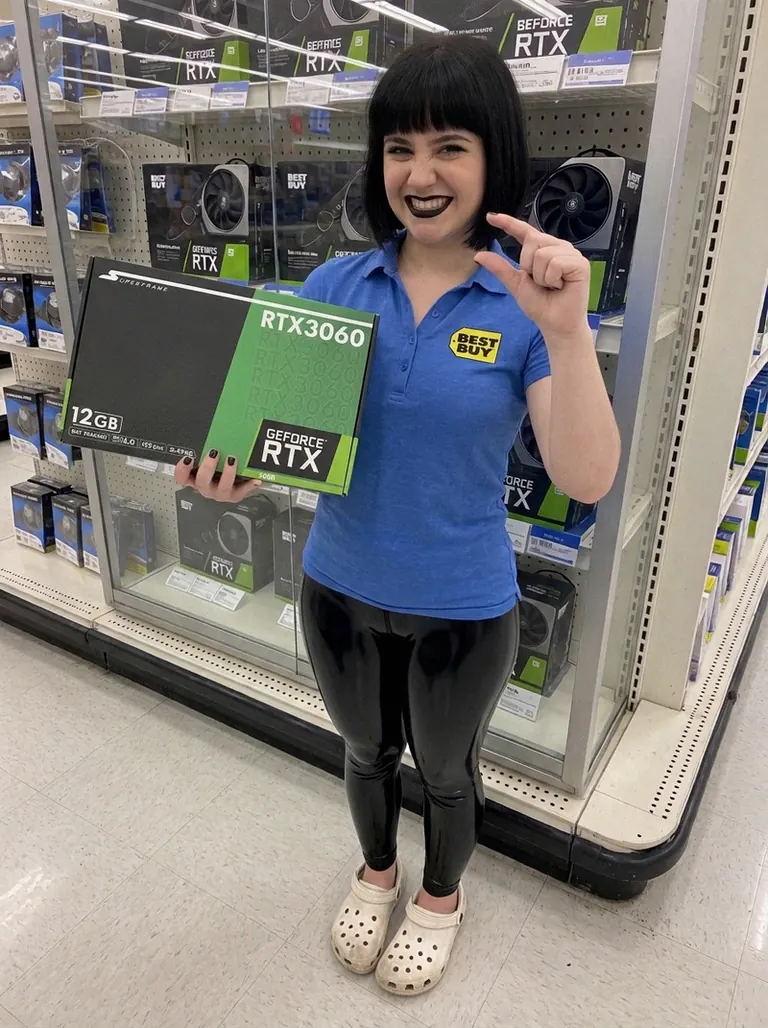
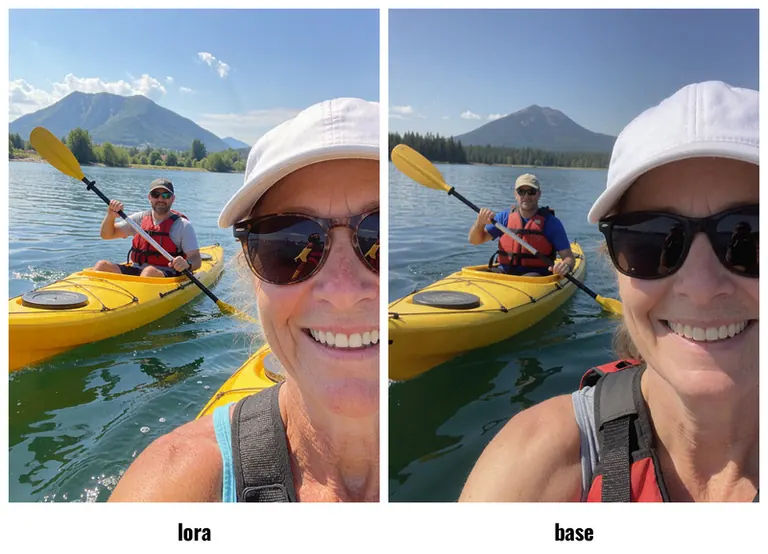

No prompt was shared with this render.
No prompt was shared with this render.
No prompt was shared with this render.
Settings
Sampler
euler_simple
Steps
8
Guidance
1
Seed
713194368799858
Size
1536x2728
Prompt
A world-class landscape photograph of a solitary snow-covered mountain silhouetted beneath a dramatic sunrise sky, captured with vast emotional scale and atmospheric depth. The mountain should sit low in the frame, with a glowing gradient sky above that shifts from deep crimson at the top to luminous gold near the horizon, creating a powerful sense of dawn breaking over the wilderness. The foreground can include soft layers of dark terrain and distant valley haze, allowing the mountain’s shape to stand out as a quiet, monumental presence. The composition should feel expansive and meditative, with rich color transitions, subtle mist in the lower atmosphere, and a strong contrast between the warm sky and the cool shadowed peak. Use a wide-angle landscape perspective, clean horizon placement, crisp silhouette edges, and a fine-art travel photography finish that feels cinematic and serene.
Negative prompt
blurry ugly bad
Settings
Sampler
euler_simple
Steps
8
Guidance
1
Seed
1000926370238631
Size
1536x2728
Prompt
A world-class wildlife close-up of a giraffe gently feeding from a thorny acacia bush in the African savanna, captured with intimate natural detail and soft documentary realism. The composition should focus tightly on the giraffe’s patterned face, long eyelashes, and elegant muzzle as it reaches down to graze, while the bush fills the lower foreground with intricate thorn texture and fresh green leaves. The animal should feel calm and graceful, with a serene eye and subtle sense of motion in the neck and ears, creating a quiet moment of connection with the landscape. The background should be softly blurred into warm neutral tones and distant savanna haze, keeping full attention on the giraffe’s expressive features and unique markings. Use natural daylight, a telephoto wildlife lens look, shallow depth of field, realistic fur texture, and earthy color grading that emphasizes the organic contrast between the giraffe’s coat and the thorny vegetation. The final image should feel intimate, elegant, and timeless, with the calm beauty of wildlife observed in its natural habitat.
Negative prompt
blurry ugly bad
No prompt was shared with this render.
No prompt was shared with this render.
No prompt was shared with this render.
Run Locally
How to install

How to install a LoRA: folders, file checks and first use in ComfyUI, Forge, Automatic1111 and Draw Things
Sep 24, 2025
krea-smartphone-photo-slider.safetensors
Downloads are served by Civitai. Some creators ask for a Civitai login first.
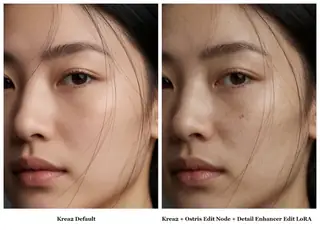
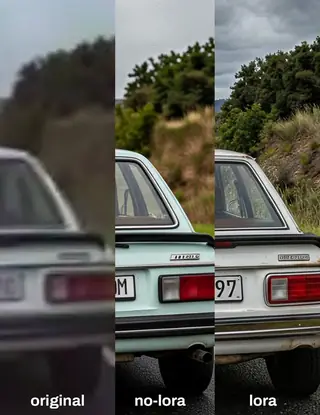

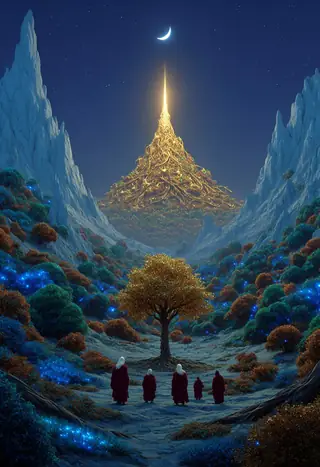



Elusarca's Krea 2 Smartphone Photography Slider LoRA is a LoRA for the Krea2 family listed on ModelTrends.ai, a read-only catalog of open source AI image, video and text models. Compare it with other Krea2 models, check its heat score to see how it is trending, and open it on PirateDiffusion or BitVector to try it.
Browse by Model Family

Text / LLM Models
434

Anima Models
528

Chroma Models
19
Fibo Models
2

Flux Models
1,496

Flux 2 / Klein Models
1,239

Flux 3 Models
3

Moss Models
3

Iris Models
1
MiniMax H3 Models
364

Hunyuan Models
204

Ideogram Models
20
Krea2 Models
717
Qwen Models
20
Qwen2 Models
47

Ltx2 Models
153