Model
.ai
śledzimy otwarte modele AI

Pixel Art Diffusion XL Sprite Shaper


8570°
Pixel Art Diffusion XL Sprite Shaper
Autor
Yamer
na Civitai

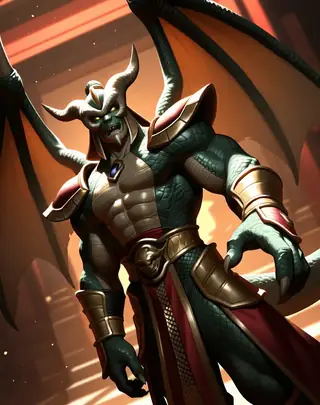
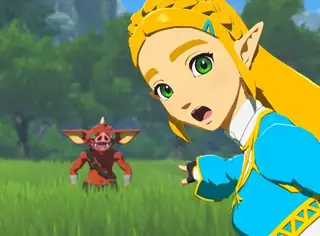
PixelShaper by Yamer is a 20% merge from HuskyAI's pixel art model. This Pixel Art Diffusion is a dedicated checkpoint designed for creating pixel art style images. It has the capability to generate a wide variety of images in the pixel art style, allowing users to produce beautiful and creative artworks. While it may not focus on generating perfectly shaped pixels, it excels in delivering images with the distinctive pixel art style, offering advantages such as vibrant color saturation and the convenience of shorter prompts. You have total freedom over what this checkpoint can create, use it…PixelShaper by Yamer is a 20% merge from HuskyAI's pixel art model. This Pixel Art Diffusion is a dedicated checkpoint designed for creating pixel art style images. It has the capability to generate a wide variety of images in the pixel art style, allowing users to produce beautiful and creative artworks. While it may not focus on generating perfectly shaped pixels, it excels in delivering images with the distinctive pixel art style, offering advantages such as vibrant color saturation and the convenience of shorter prompts. You have total freedom over what this checkpoint can create, use it to generate videos or game assets or even to explore a new style. How To Use: This checkpoint can be hard to use when generating images without knowing how to get the best images with it, here is a simple list of things to follow to generate beautiful art: Keep the prompt simple, don't use extremely long prompts, focus on what you need Use "Pixel Art" at the start or in the beginning part of the prompt, this way you can be sure to achive a pixel art type of image Use words such as 16 bit, 32 and 64 bit to help the checkpoint understand the style if you are having a hard time getting pixel art When upscaling remember to use very low Denoise Strength values, don't go above 0.25 or else the image will start to distort It's preferrable if you don't use words that imply a style that is very different from pixel art, especially in the beginning part of the prompt, prompts such as: realistic, Ph

Notatki twórcy
For business inquires, commercial licensing, consultation and large scale image captioning for datasets contact me under , for custom LoRAs visit my . Follow me on Twitter: Discord: yamer_ai If you have enjoyed this checkpoint: --> REDESTRIBUTION OF THIS MODEL TO PLATFORMS OUTSIDE CIVITAI AND SELLING IMAGES WITHOUT MY WRITTEN CONSENT IS FORBIDDEN! <--- You can contact me on Discord: (yamer_ai), Twitter: , email: or directly using the Civitai chat system for my approval. Pixel Art Diffusion is a dedicated checkpoint designed for creating pixel art style images. It has the capability to generate a wide variety of images in the pixel art style, allowing users to produce beautiful and creative artworks. While it may not focus on generating perfectly shaped pixels, it excels in delivering images with the distinctive pixel art style, offering advantages such as vibrant color saturation and the convenience of shorter prompts. You have total freedom over what this checkpoint can create, use it to generate videos or game assets or even to explore a new style. The VAE has been already baked in. How To Use: This checkpoint can be hard to use when generating images without knowing how to get the best images with it, here is a simple list of things to follow to generate beautiful art: - Keep the prompt simple, don't use extremely long prompts, focus on what you need - Use "Pixel Art" at the start or in the beginning part of the prompt, this way you can be sure to achive a pixel art type of image - Use words such as 16 bit, 32 and 64 bit to help the checkpoint understand the style if you are having a hard time getting pixel art - When upscaling remember to use very low Denoise Strength values, don't go above 0.25 or else the image will start to distort - It's preferrable if you don't use words that imply a style that is very different from pixel art, especially in the beginning part of the prompt, prompts such as: realistic, Photography and hyper detailed may damage the pixel art aesthetic, use those only in the last parts of a prompt (if you want to use them at all) - Keep in mind this is not a perfect pixel art image creator, images generated won't necessarily have pixel perfect squares, square may vary slightly in size - Use CFG values between 4 and 12 this way the model is more stable and can generate images better - Pay attention to the LoRAs you are using, some may completely remove the pixel art style from the image What Are The Best Uses? You have the freedom to create what you prefer, here are some fields where this checkpoint is best used: - Game design, generate images to use as inspiration for sprites in video games, tools, potions, armors and everything else you need for a pixelated game adventure - Profile pictures, use it to generate your very own and unique profile picture for all social media platforms - Commercial use, interested in using this for your next game/AI related projects? Contact me on my mail () - Learning tool, learn how to make pixel art by generating images with this checkpoint and trying to remake it using external drawing software - Animations, generate videos with the pixel art aesthetic, this checkpoint can handle animations, see some examples made by RAMTHURST in the gallery below - Experimentation, have fun and make something really unique with it, share with friends and enjoy what you create Creator Note: Hi, I'm an Italian creator, I love AI and share what I create with others to spread the joy of using AI. I craft checkpoints, LoRAs and prompts that anyone can use to generate their own art and share it. My ultimate aim is to be a good creator, sharing the models I create as a hobby with others and see other create ever better creations than the ones I upload. The primary objective of this checkpoint is to excel in crafting pixel art at the highest capability achievable by SDXL. Future updates aim to enhance the style, making it even more refined and stable. Delve into the realm of AI-generated art with a pixel art aesthetic, and share your thoughts in the comments below. Don't forget to provide a review and share your pixelated creations for inclusion in the gallery! Unleash your creativity in the realm of 16-bit wonders and enjoy the process! 🤯 P͓̽e͓̽r͓̽s͓̽o͓̽n͓̽a͓̽l͓̽ ͓̽R͓̽a͓̽t͓̽i͓̽n͓̽g͓̽:͓̽ - Quality: 9.5/10 - Stability (Variety): 6/10, the lower = the more variety with one prompt - Style Flexibility: 3/10 - CFG resistance: 12/30 - Style strength: 9/10 - Image Stability: 9.5/10 (how much the image looks cohesive to the human eye) Recommended Settings: Image Quality: 1024x1024 (Standard for SDXL), 768x1024 (Used in the showcase) 16:9, 4:3, 6:13 Steps: 30-50 - Hires Upscaler: 4x_foolhardy_Remacri or 4xUltraSharp - Hires upscale: The only limit is your GPU (I upscale 1,5 times the base image, 576x1024) - VAE: 𝓥𝓮𝓻𝓼𝓲𝓸𝓷 2 𝓤𝓹𝓭𝓪𝓽𝓮 𝓝𝓸𝓽𝓮: The new version uses checkpoint made by . V2 has also been trained on more images and the pixel shape quality has been improved. Overall detail of the generated image is better in V2. To achieve a specific nsfw result I recommend to use a SDXL LoRA, this checkpoint can handle nsfw prompts but it is not a nsfw focused model, keep in mind that a SD 1.5 LoRA doesn't work with a SDXL models. 1) Perfect for pixel creatures, gotta generate'em all 2) Imagination is the first ingredient of AI 3) Think outside the hypercube! -Yamer Grimlock
Słowa wyzwalające
pixel art
64 bit
32 bit
16 bit
27,736 pobrań · 1,844 polubień na Civitai
SHA256
7ADFFA28D4003A773C2D4E5F10AE1BA63C33573967864A7F9A4A3BE9C9F04A93
Ranking badge
Updated Oct 22, 2026
Pixel Art Diffusion XL Sprite Shaper na ModelTrends.ai: #25 Hottest Stable Diffusion XL 1.0 model
Made this model? Show this badge on your page.
Paste it into your Hugging Face card or Civitai description.
Also ranked: #145 Hottest AI model · #16 Hottest Stable Diffusion XL 1.0 base model
Not this creator?
Trend popularności: Pixel Art Diffusion XL Sprite Shaper
Wynik heat, ostatnie 12 miesięcy
Wskaźnik popularności
8,570°
Ten tydzień
▼
0.4%
8,572° wtedy, 8,570° teraz
Ten miesiąc
▼
1.6%
8,581° wtedy, 8,570° teraz
Ostatni rok
▼
19.4%
8,692° wtedy, 8,570° teraz
Pixel Art Diffusion XL Sprite Shaper: Wynik heat, ostatnie 12 miesięcy7,000°7,579°8,158°8,736°9,315°Oct 2025Dec 2025Mar 2026May 2026Aug 2026Oct 20268,570°ModelTrends.ai
7,000°
Podstawa
Skala idzie od 0° do 9 999°. Wszystko poniżej 7,000° jest zarezerwowane dla modeli, o których żadne źródło jeszcze nie raportuje, które mają tam zastępczą wartość, by listy były kompletne. 7,000° to punkt startowy dla danych pomiarowych: model z prawdziwymi danymi, ale prawie bez pobrań, stoi na tej podstawie, a pomiary wypełniają stopnie powyżej niej. Podstawa nic nie mówi o modelu; to stopnie powyżej niej robią różnicę i to one rozróżniają modele.
+1,353°
Pobrania z Civitai
27,736 pobrań tej dokładnej wersji na Civitai. Pobrania to najważniejszy składnik i liczone są na skali logarytmicznej: dziesięciokrotny wzrost pobrań dodaje te same 300°, więc model z milionem pobrań nie jest tysiąc razy gorętszy niż ten z tysiącem. Sześć źródeł pobrań dzieli ten jeden termin proporcjonalnie do ich liczby.
+490°
Polubienia
1,844 polubień i kciuków w górę ze wszystkich źródeł. Polubienie waży połowę pobrania, na tej samej skali logarytmicznej.
+74°
Tempo adopcji
Około 9 pobrań dziennie, mierzone między dwoma odczytami źródeł, nigdy nie szacowane na podstawie średniej z całego czasu. Prędkość waży ćwierć składnika pobrań, więc świeży wzrost jest widoczny, ale jednodniowy skok nie przebije lat użycia.
+150°
Pełny model
+150° bo to pełny model: checkpoint, same wagi. LoRA lub embedding to dodatek do czyichś wag i nie przewyższa checkpointa o tej samej popularności.
−497°
Wiek
−497° bo wagi SDXL wyszły w 2023. Każdy model dziedziczy wiek wag, na których jest zbudowany: 150° na rok, do 750°, i tak rośnie aż do tego limitu. Bez tego na szczycie listy byłyby checkpointy z 2022 i 2023, które mają lata na zbieranie pobrań.
Pokaż szczegóły
Każdą liczbę na tej stronie można sprawdzić. Wynik popularności tego modelu to 8,570°, a tutaj jest zbudowany krok po kroku, z bieżącym sumowaniem po każdym składniku: podstawa, stopnie dodawane przez każde źródło, bonus za rodzaj modelu oraz odejmowanie za wiek wag. Kolory odpowiadają zakresom na wykresie powyżej. Na końcu znajduje się słownik, który wyjaśnia każde pojęcie.
  1. 1
    Zacznij od podstawy.
    Dlaczego 7,000°, a nie zero: skala idzie od 0° do 9 999°, a część poniżej 7,000° jest zarezerwowana dla modeli, o których żadne źródło jeszcze nie raportuje, które mają tam zastępczą wartość, by listy były kompletne i nigdy nie wyprzedzały modeli z danymi. 7,000° to punkt startowy dla danych pomiarowych. Model z prawdziwymi danymi, ale prawie bez pobrań, stoi tutaj; wszystko co dalej to pomiary, a przestrzeń powyżej podstawy mieści dziesięć dziesięciokrotnych kroków w pobraniach po 300° każdy. Podstawa jest taka sama dla każdego modelu, więc nic nie decyduje; decydują stopnie powyżej niej.
    7,000°
    bieżąca suma
  2. 2
    Dodaj pobrania.
    27,736 równoważników pobrań łącznie, z Pobrania z Civitai. Dziesięć razy więcej pobrań dodaje ten sam 300°, więc rozmiar ma znaczenie, ale nigdy nie dominuje wyniku.
    +1,353°
    8,353°
    bieżąca suma
  3. 3
    Dodaj polubienia.
    1,844 polubień i kciuków w górę, o połowę mniej wartości niż pobranie.
    +490°
    8,843°
    bieżąca suma
  4. 4
    Dodaj tempo adopcji.
    Około 9 pobrań dziennie teraz, mierzone między dwoma odczytami, z wagą ćwierć pobrania.
    +74°
    8,917°
    bieżąca suma
  5. 5
    Bonus za pełny model.
    Checkpoint zawiera same wagi; dodatki nie mają wyższej rangi niż model o takiej samej popularności.
    +150°
    9,067°
    bieżąca suma
  6. 6
    Usuń wiek.
    Wagi SDXL wyszły w 2023: 150° rocznie, do maksymalnie 750°, rosnące do tego czasu.
    −497°
    8,570°
    bieżąca suma
  7. =
    Wynik heat.
    Pozycja tego modelu na każdej liście na tej stronie. Nic innego tego nie zmienia.
    8,570°
Słowniczek: używane tu terminy
Wynik heat
Jedna liczba pokazująca, jak bardzo model jest używany i pożądany teraz, od 0° do 9,999°. Każda lista na tej stronie z napisem hottest jest sortowana według tego i niczego innego.
Podstawa
7,000° to punkt startowy dla każdego modelu z prawdziwymi danymi. Skala idzie od 0° do 9,999°; część poniżej podstawy jest zarezerwowana dla zastępczych modeli (bez danych), żeby model z danymi zawsze był wyżej. Podstawa jest taka sama dla wszystkich i nic nie decyduje; stopnie powyżej niej to właściwy pomiar.
Równoważniki pobrań
Wszystko, co wynik traktuje jak pobranie, zsumowane: same pobrania, każdy seeder torrenta jako 1,000, każde AI Horde zdjęcie i każde uruchomienie na stronie generującej jako jedno.
Skala logarytmiczna
Liczenie co dziesięć, nie co jeden: przejście z 1,000 do 10,000 pobrań dodaje tyle samo stopni, co z 10,000 do 100,000. Zapobiega to dominacji gigantów nad resztą.
Polubienia
Kciuki w górę i polubienia ze wszystkich źródeł, warte połowę pobrania na skali logarytmicznej.
Tempo adopcji
Ile pobrań dziennie model ma teraz, na podstawie różnicy między dwoma odczytami źródła. Ćwierć wagi terminu pobrania.
Zmierzony i szacowany
Zmierzony oznacza, że istnieją dwa odczyty źródła i różnica jest rzeczywista. Szacowany oznacza, że znana jest tylko dzisiejsza suma, a przeszłość jest rozłożona na czas życia modelu; strona mówi, który z nich pokazuje.
Seeder
Ktoś, kto trzyma kopię wag online, aby inni mogli je pobrać przez torrent, albo hostowany mirror robiący to samo. Każdy taki liczy się jako 1 000 pobrań.
AI Horde
Sieć wolontariuszy, która generuje obrazy za darmo na komputerach darczyńców. Liczba obrazów wygenerowanych z modelem jest publiczna i każde liczy się jako jedno pobranie.
Strony generujące
Strony, które mają własne kopie modelu i pozwalają ludziom generować z nim obrazy, takie jak PixAI, SeaArt i Yodayo. Ich pobrania liczą się jak na Civitai, a każde uruchomienie generowania to jedno pobranie.
Tokeny OpenRouter
Model tekstowy obsługiwany przez API, taki jak Claude czy GPT, nie ma wag do pobrania, więc jego użycie mierzy się tokenami: fragmentami tekstu, które przeczytał i napisał przez OpenRouter, bramkę używaną przez wiele aplikacji, w ciągu ostatnich 30 dni. Każde 10,000,000 tokenów liczy się jako jedno pobranie. Źródło: OpenRouter (openrouter.ai/rankings), CC BY 4.0.
Pełny model (checkpoint)
Same wagi, plik, który generuje samodzielnie. Dostaje bonus, bo dodatki od niego zależą.
LoRA i embedding
Małe pliki dodatków, które kierują czyjeś wagi w stronę stylu, postaci lub koncepcji. Nie mogą działać samodzielnie.
Rodzina i wagi
Podstawa, na której zbudowano model, np. SD 1.5, SDXL, Flux lub Wan. Każdy model dziedziczy datę wydania wag swojej rodziny.
Wiek
Stopnie odejmowane za to, jak dawno wyszły wagi rodziny: 150° za rok, do 750°. Zachowuje stare pobrania, które miały lata na narastanie, zamrażając szczyt listy.
Wzmocnienie rodziny
Małe, ograniczone wsparcie dla LoRA z rodziny, którą ta strona teraz promuje, zawsze podane w rozbiciu.
Wynik zastępczy
Stabilna liczba poniżej minimum, przyznawana modelowi, o którym jeszcze nie ma danych źródłowych, żeby listy były kompletne. Nigdy nie jest wyżej niż model z danymi.
Nowy! (okres karencji)
Model młodszy niż 7 dni pokazuje Nowy! zamiast wyniku i nie zajmuje miejsca w rankingu. Jego wynik jest liczony od pierwszego dnia, ale model jednodniowy rośnie najszybciej, więc bez oczekiwania #1 tygodnia byłby zawsze tym, który pojawił się wczoraj, a nie tym, który utrzymał się przez tydzień.
Trend
Jak wzrost modelu w danym okresie wypada na tle typowego wzrostu modelu w tym samym czasie. Szybszy niż zwykle to wzrost, wolniejszy to spadek.
Typowy model
Środek katalogu: połowa modeli z danymi rosła szybciej w tym okresie, połowa wolniej.
Jak popularność tego modelu zmieniała się w porównaniu do reszty katalogu: jego wzrost w pobraniach, polubieniach i użyciu w każdym okresie, mierzony względem typowego wzrostu modelu w tym samym czasie, wraz z jego wynikiem heat score. Powyżej typowego wzrostu oznacza wzrost, poniżej spadek. Przeszłość jest odtwarzana na podstawie dzisiejszych sum, pierwszego dnia modelu i zmierzonej prędkości pobrań, jeśli są dwa odczyty; model, który nie istniał na początku okresu, pokazuje n/d.
Przykładowe rendery
Prompty i ustawienia udostępnione przez osoby, które wykonały te rendery na Civitai. Wybierz render, aby zobaczyć, jak powstał.
Render by misslecommand on
Civitai
·
Prompt on BunchaPrompts
Zgłoś
Ustawienia
Sampler
Euler a
Kroki
20
Guidance
8
Seed
4
Rozmiar
1024x1024
Clip skip
2
Prompt
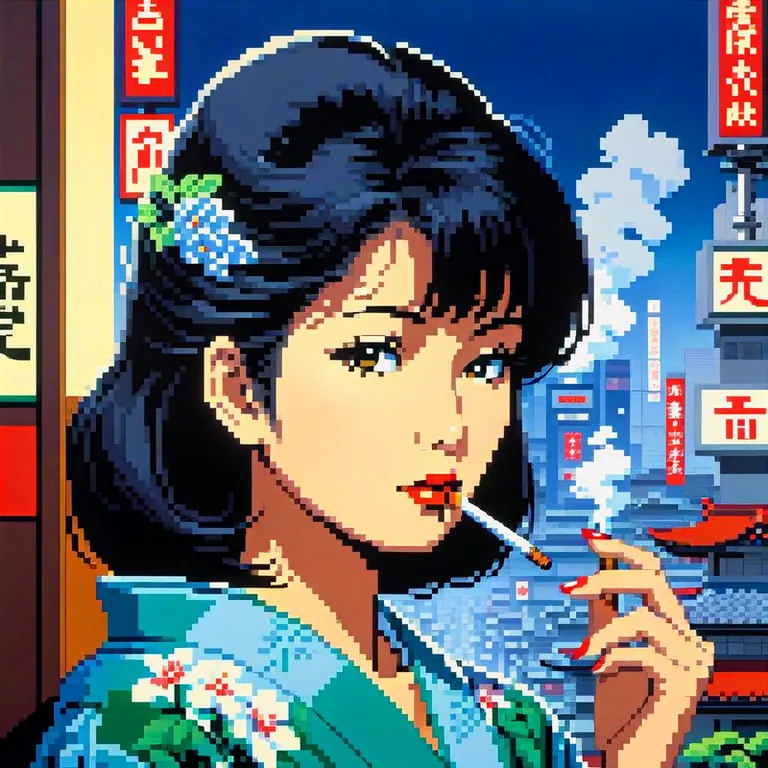
hiroshi_nagai, japanese lady smoking overlooking city, pixel
Prompt negatywny
bad quality, bad anatomy, worst quality, low quality, low resolution, extra fingers, blur, blurry, ugly, wrong proportions, watermark, image artifacts, lowres, ugly, jpeg artifacts, deformed, noisy image
Ustawienia
Sampler
DPM++ 2M Karras
Kroki
20
Guidance
3.5
Seed
2087253762
Rozmiar
832x1216
Clip skip
2
Prompt
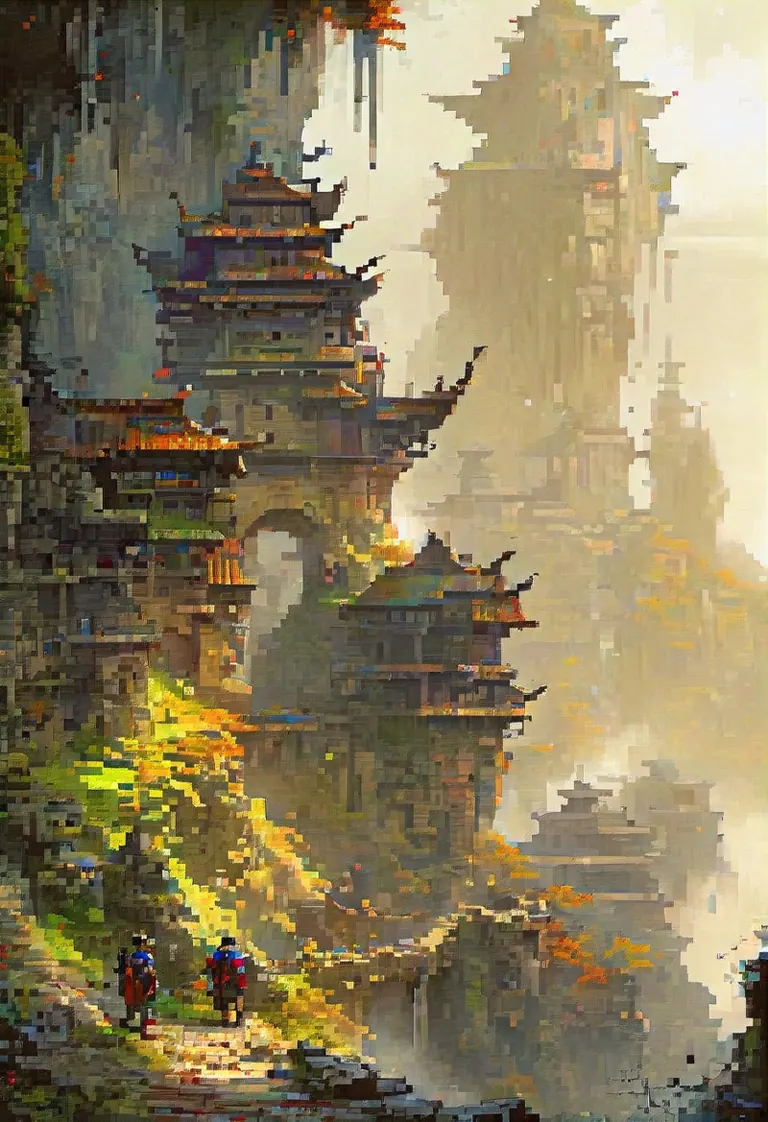
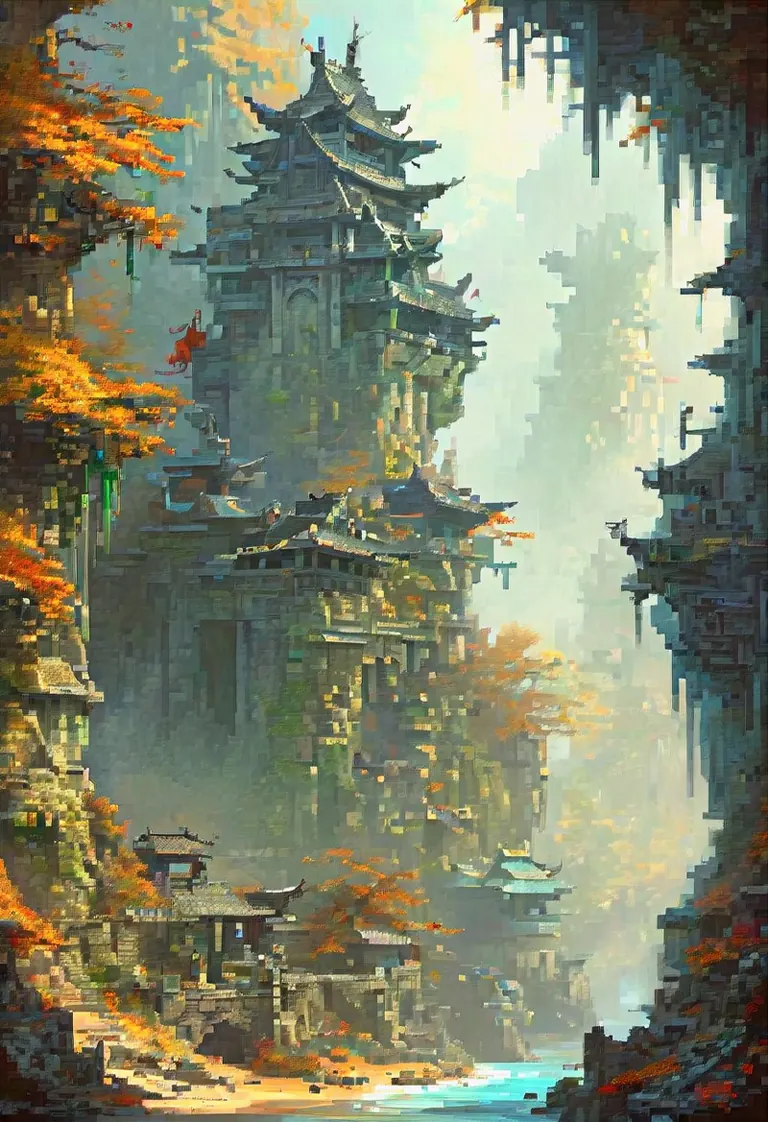
fantasy illustration by John Howe, Akira Toriyama, hyperdetailed, hyper quality, artstation winning award, bright highlights, deep shadows
Ustawienia
Sampler
DPM++ 2M Karras
Kroki
20
Guidance
3.5
Seed
2087253764
Rozmiar
832x1216
Clip skip
2
Prompt
fantasy illustration by John Howe, Akira Toriyama, hyperdetailed, hyper quality, artstation winning award, bright highlights, deep shadows
Ustawienia
Sampler
Euler a
Kroki
40
Guidance
6
Seed
2733400127
Rozmiar
576x1024
Prompt
female, red under eye, under eye makeup, white eyes, white eyes, white eyelashes, blue hair, blue hair, flowing hair, flowing hair, glowing hair, glowing hair, while sharks, whale sharks, underwater, underwater, stoic face, calm face, beautiful, pretty, white dress, white dress, flowing dress, stars, stars in hair, pretty, shaded, glowing, glowing beautiful shading, glowing, under water, floating, floating
Prompt negatywny
bad quality, bad anatomy, worst quality, low quality, low resolution, extra fingers, blur, blurry, ugly, wrong proportions, watermark, image artifacts, lowres, jpeg artifacts, deformed, noisy image, deformation, corrupt image
Render by sg_maint on
Civitai
·
Prompt on BunchaPrompts
Zgłoś
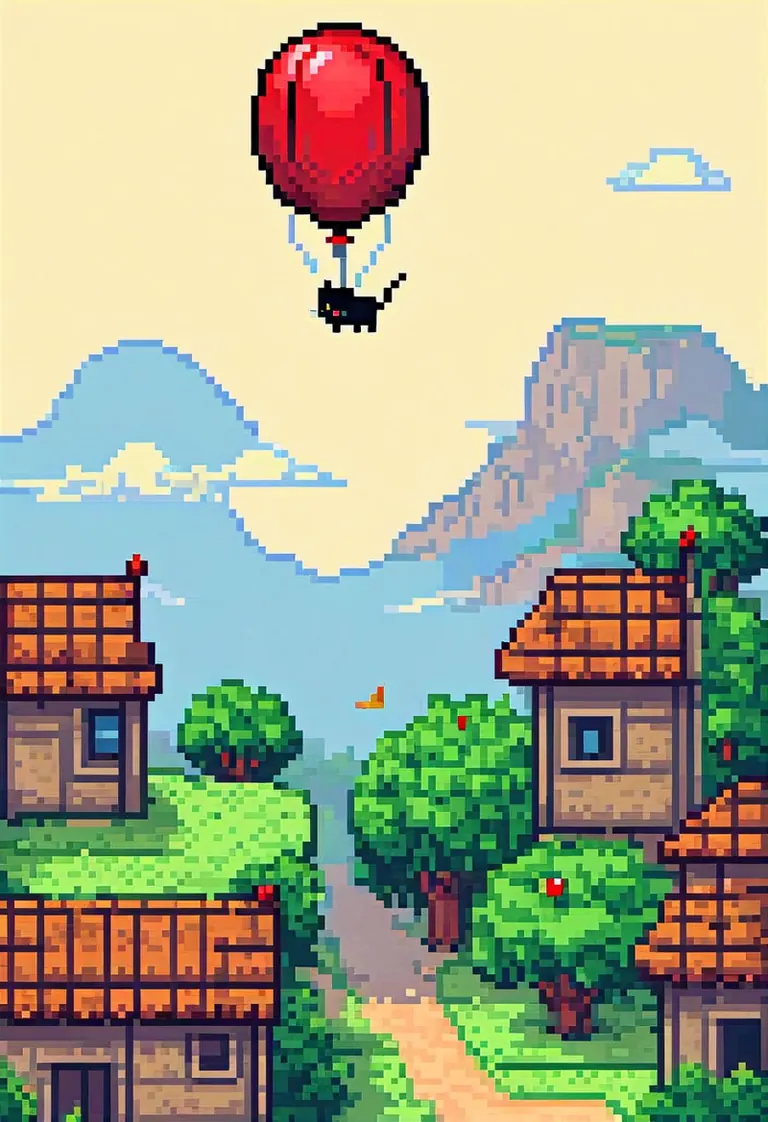
Ustawienia
Sampler
DPM++ 2M Karras
Kroki
30
Guidance
7
Seed
376658587
Rozmiar
832x1216
Clip skip
2
Prompt
pixel art, 64, cat in a basket being flown by a red balloon, sleeping, peaceful, comic style, adventure
Prompt negatywny
score_5, score_4, watermark, signature, artist name, 3d, muscular, cum,
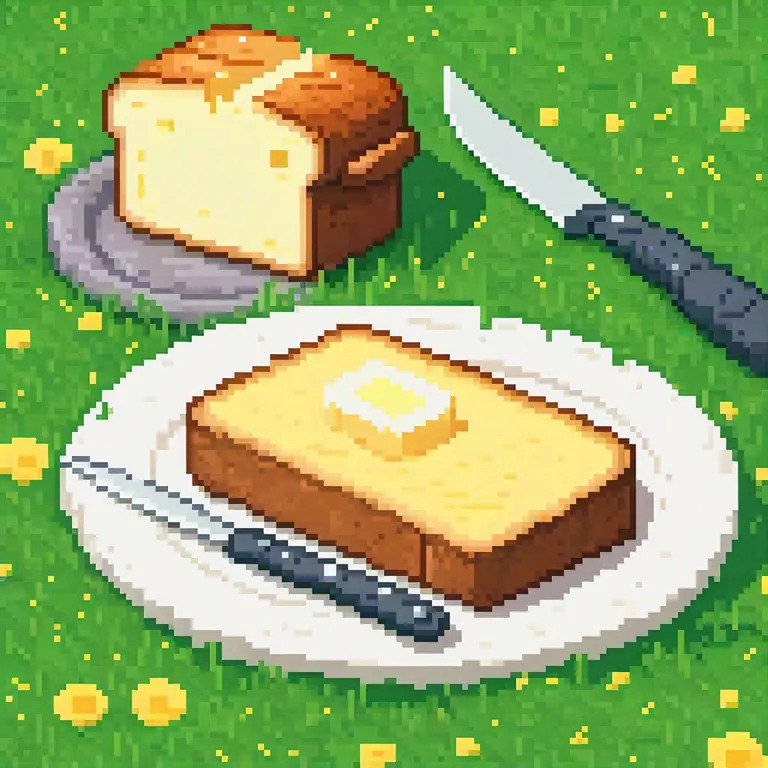
Ustawienia
Sampler
Euler a
Kroki
40
Guidance
4
Seed
1747542464
Rozmiar
1024x1024
Clip skip
2
Prompt
A fancy pixel art butter in grass with knife and toasted bred beside. The dish is white and simple
Render by John_KSampler on
Civitai
·
Prompt on BunchaPrompts
Zgłoś
Ustawienia
Sampler
DPM++ 2M Karras
Kroki
23
Guidance
7
Seed
1351013523
Rozmiar
1024x1024
Clip skip
2
Prompt
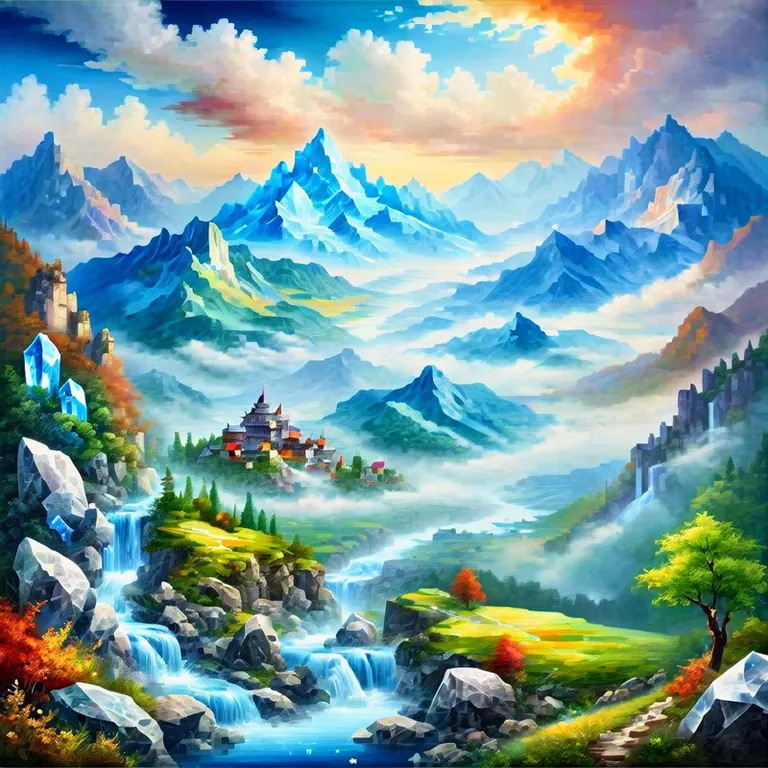
masterpiece, best quality, absurdres, year 2023, ((landscape made of crystal)), mountains, river, valley, clouds
Prompt negatywny
lowres, (bad), bad anatomy, bad hands, extra digits, multiple views,fewer, extra, missing, text, error, worst quality, jpeg artifacts, low quality, watermark, unfinished, displeasing, oldest, early,chromatic aberration, signature,artistic error, username, scan,clone
Ustawienia
Sampler
Euler a
Kroki
40
Guidance
6
Seed
2142381647
Rozmiar
576x1024
Prompt
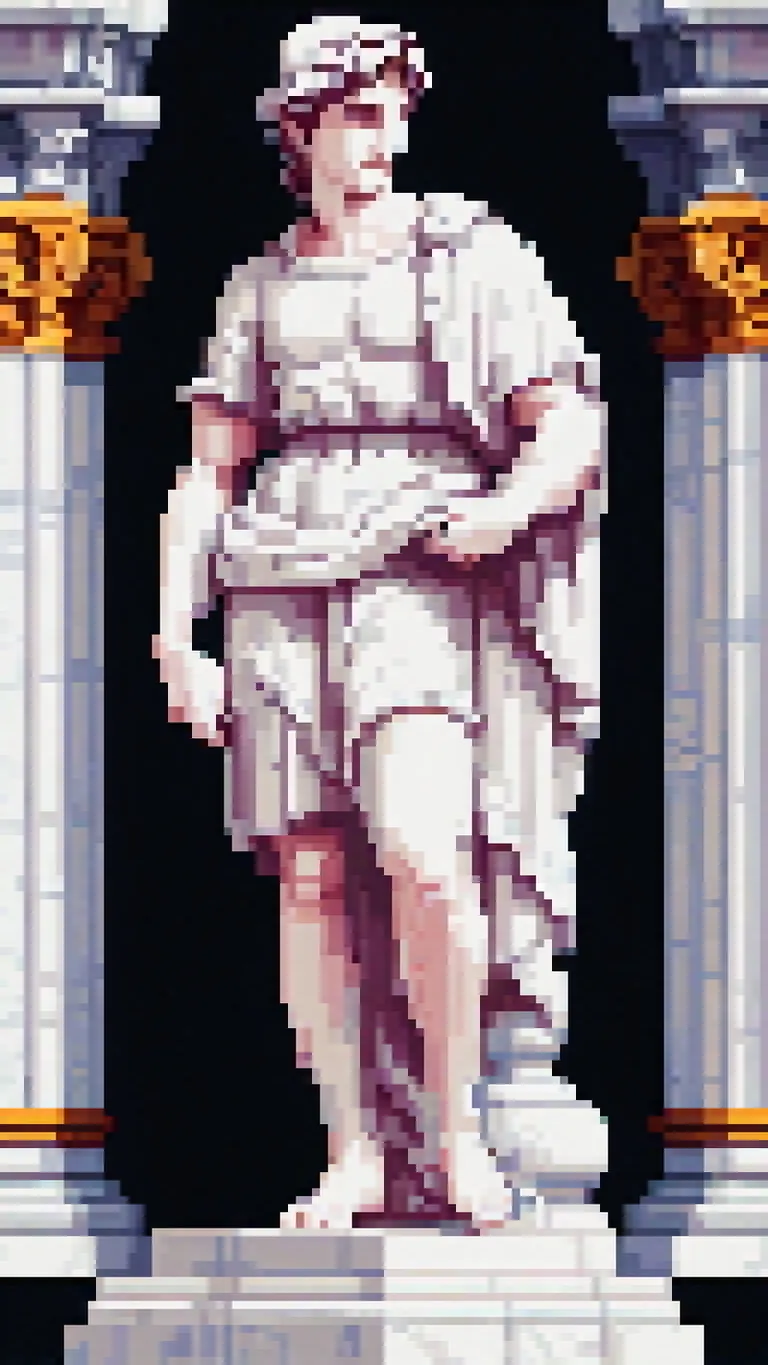
pixel art, 32 bit, a renaissance style (statue) carved out of white marble, David statue
Prompt negatywny
bad quality, bad anatomy, worst quality, low quality, low resolution, extra fingers, blur, blurry, ugly, wrong proportions, watermark, image artifacts, lowres, jpeg artifacts, deformed, noisy image, deformation, corrupt image
Uruchom lokalnie
pixelArtDiffusionXL_spriteShaper.safetensors
6.46 GB · SafeTensor · fp16 · pruned
Pobieranie obsługuje Civitai. Niektórzy twórcy wymagają najpierw zalogowania się na Civitai.