
Skin11 qwen
8448°
<skin11-qwen>
Las apps que soportan etiquetas de ModelTrends te permiten ejecutar/instalar modelos copiando este código en tu prompt sin configuración. Busca nuestro ícono en apps que lo soporten, como Prism (abajo).
Ejecutar este modelo
Ofertas / Anuncios

Easy Creator (Prism) Web
Ilimitado · tarifa fija
Ideal para principiantes. Flujos de trabajo potentes, curva de aprendizaje baja.

PirateDiffusion Telegram
Ilimitado · tarifa fija
Crea videos, imágenes, personajes de chat personalizados y más.

Pro studio (SpyGlass) Web
Ilimitado · tarifa fija
Explora modelos, renderiza y mejora desde cualquier navegador o teléfono.

Discord bot (Vector)
Ilimitado · tarifa fija
Agrega Vector a tu servidor o únete al Discord de Vector. ¡Crea lo que quieras!

Unified Editor Web
Ilimitado · tarifa fija
Editor para imágenes y video: renderiza, edita, mejora y más en una sola página.

Civitai Web
Paga por uso
Genera en el propio sitio de Civitai; cada imagen se paga con créditos Buzz.

Apps locales
Requiere configuración
Instala programas locales si tu computadora tiene buen hardware.

ModelDuel Web
Paga por uso
Genera el mismo prompt en hasta 50 modelos checkpoint/base a la vez.


qwen-edit-skin v1.1 Trigger words: You should use make the subjects skin details more prominent and natural to trigger the image generation.
Notas del creador
Finetuned LoRA for Enhanced Skin Realism in
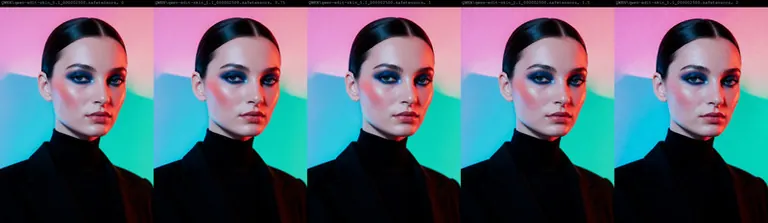
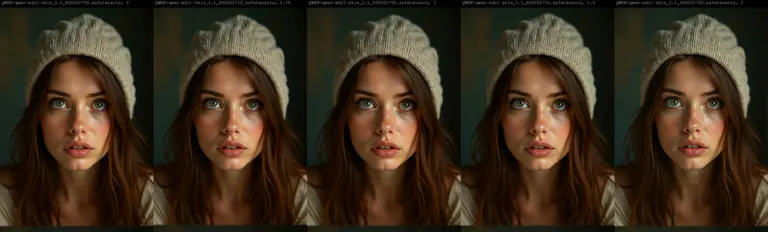
Note: Check the version differences. In Version 1.1 as an example, I've also uploaded previous steps of this version training, so you can download from steps 1750 all the way to 2750 to suit your needs. I attached full comparison images across each LORA and each step count for you to see the sweet spot for your workflows.
You can also download the comparision workflow I made here:
This repository contains a finetuned Low-Rank Adaptation (LoRA) model designed to enhance the realism and detail of human skin in images. The LoRA has been trained on top of the powerful Qwen/Qwen-Image-Edit-2509 model, leveraging its advanced image editing capabilities to focus specifically on generating more natural and detailed skin textures.
This model was trained for 5000 steps on a local RTX 5090 using the AI-Toolkit. The resulting LoRA is ideal for photographers, digital artists, and anyone looking to improve the quality of human subjects in their generated or edited images.
Model Description
The qwen-edit-skin LoRA is a specialized finetuning of the Qwen/Qwen-Image-Edit-2509 base model. The base model is a versatile image editor with strong capabilities in multi-image editing and maintaining single-image consistency, particularly in preserving personal identity. This LoRA builds upon that foundation to specifically address the nuances of human skin, adding detail and realism that may not be present in the original generations.
The training was conducted using this fork of , a comprehensive suite for finetuning diffusion models. The process for curating the dataset involved reverse modification of subject skin details as follows:
-
Taking real images of versatile subject portraits with skin exposed
-
Captioning each of these as our “Target” (THE AFTER) images for the final outcome expected in a standard Qwen Edit workflow
-
Editing the image in Photoshop to add more gaussian blur and smoother skin tones, to make the skin texture, tone and pores less visible
-
These became our “Control” (The BEFORE) images for Qwen Edit training.
Training Details
The model was finetuned with the following key parameters, which can be found in the accompanying config.yaml file:
Hardware:
-
GPU: NVIDIA RTX 5090
Training Configuration:
-
Training Steps: 5000
-
Batch Size: 1
-
Gradient Accumulation: 1
-
Learning Rate: 1.0e-04
-
Optimizer: adamw8bit
-
Noise Scheduler: flowmatch
-
Resolution: The model was trained on a dataset with resolutions of 512, 768, and 1024 pixels.
-
Precision: bf16
Network Architecture:
-
Type: LoRA
-
Linear Rank & Alpha: 16
-
Convolutional Rank & Alpha: 16
The choice of adamw8bit as the optimizer is significant as it reduces the memory footprint of the training process, allowing for more efficient finetuning on consumer-grade hardware without sacrificing performance. The flowmatch noise scheduler is a modern approach that can lead to more efficient training and high-quality image generation.
A notable aspect of the LoRA architecture is that the alpha values for both linear and convolutional layers are set to be equal to their respective rank (16). This balanced approach is a common starting point for LoRA training, ensuring that the learned adaptations are applied with a proportional scaling factor, which can help in preventing overfitting while allowing the model to learn the desired new features effectively.
How to Use
To use this LoRA, you will need to load the base model Qwen/Qwen-Image-Edit-2509 and then apply the finetuned LoRA weights loaded as qwen-edit-skin.safetensors. Previous step versions of the weights are uploaded for reference but the final version is qwen-edit-skin.safetensors. You can also leverage the example workflow attached in the repo for ComfyUI to compare the results across different weights.
The recommended weight is between 1 and 1.5, the examples provided show weights up to 2 only to show the effect of the Lora with a strength considered too high for effect.
Intended Use
This LoRA is intended for creative and artistic purposes to enhance the realism of human skin in digital images. It can be used by:
-
Digital Artists: To add finer details and textures to the skin of their characters.
-
Photographers: For retouching and enhancing portraits.
-
AI Art Enthusiasts: To generate more lifelike images of people.
Limitations and Bias
This model is a finetuning of a large-scale, pre-trained model and may carry some of its inherent biases. The training dataset for this LoRA was focused on improving skin details and may not represent the full diversity of human skin tones and types equally. Users should be aware of this and use the model responsibly. The output of the model is influenced by the input prompt, and users are encouraged to use descriptive and inclusive language to guide the generation process.
Disclaimer: This model is intended for artistic and creative purposes. Users are responsible for the content they create and should adhere to ethical guidelines and respect the privacy and dignity of individuals.
Trigger words
You should use make the subjects skin details more prominent and natural to trigger the image generation.
SHA256
5EDFE35A85AB1895228AF5D9680EBC0644FC28B0683641969EE65E877F505A25
Ranking badge
Updated Oct 22, 2026

Made this model? Show this badge on your page.
Paste it into your Hugging Face card or Civitai description.
Also ranked: #3 Hottest Qwen model · #2 Hottest Qwen LoRA
Not this creator?
Get your own badge
Tendencia de popularidad de skin11
Puntuación de calor desde 4 Nov 2025
Puntuación de popularidad
8,448°
Esta semana
▲
0.2%
8,449° entonces, 8,448° ahora
Este mes
▲
0.9%
8,454° entonces, 8,448° ahora
Último año
n/a
No fue lanzado/seguido
7,000°
Piso
La escala va de 0° a 9,999°. Todo lo que está por debajo de 7,000° se reserva para modelos que ninguna fuente reporta aún, que llevan un número provisional ahí para que las listas se mantengan completas. 7,000° es donde empiezan los datos medidos: un modelo con datos reales pero casi sin descargas se sitúa en el piso, y las mediciones llenan los grados por encima. El piso no dice nada sobre el modelo; solo los grados por encima lo hacen, y son los que separan un modelo de otro.
+1,198°
Descargas en Civitai
9,004 descargas de esta versión exacta en Civitai. Las descargas son el ingrediente más pesado y se cuentan en escala logarítmica: diez veces las descargas suman los mismos 300°, así que un modelo con un millón de descargas no es mil veces más popular que uno con mil. Las seis fuentes de descargas comparten ese término, repartido entre ellas según sus conteos.
+356°
Me gusta
234 me gusta y pulgares arriba en todas las fuentes. Un me gusta pesa la mitad de una descarga, en la misma escala logarítmica.
+78°
Tasa de adopción
Unos 10 descargas al día, medidos entre dos lecturas de las fuentes, nunca estimados a partir de un promedio de toda la vida. La velocidad pesa un cuarto del término de descargas, así que un aumento reciente se nota sin que un pico de un día supere años de uso.
−184°
Antigüedad
−184° porque los pesos Qwen salieron en 2025. Cada modelo hereda la antigüedad de los pesos en los que se basa: 150° por año, hasta 750°, y sigue creciendo hasta entonces. Sin esto, la cima de la lista serían checkpoints de 2022 y 2023 basados en descargas que tuvieron años para acumularse.
Mostrar desglose detallado
Cada número en este sitio se puede verificar. La puntuación de popularidad de este modelo es 8,448°, y aquí se construye un ingrediente a la vez, con el total acumulado después de cada uno: el piso, los grados que añade cada fuente, el bono por el tipo de modelo y lo que la antigüedad de sus pesos resta. Los colores son las bandas del gráfico de arriba. El glosario al final define cada término.
- 1Empieza en el piso.Por qué 7,000° y no cero: la escala va de 0° a 9,999°, y la parte por debajo de 7,000° está reservada para modelos que ninguna fuente reporta aún, que llevan un número provisional ahí para que las listas se mantengan completas y nunca superen a un modelo con datos. 7,000° es donde empiezan los datos medidos. Un modelo con datos reales pero casi sin descargas está aquí; todo lo que sigue es medición, y el espacio sobre el piso tiene diez pasos de diez veces más descargas a 300° cada uno. El piso es igual para todos los modelos, así que no decide nada; los grados por encima sí.7,000°total acumulado
- 2Suma las descargas.9,004 equivalentes a descargas en total, de Descargas en Civitai. Diez veces las descargas suman el mismo 300°, así que el tamaño importa pero nunca domina la puntuación.+1,198°8,198°total acumulado
- 3Suma los likes.234 likes y pulgares arriba, con la mitad del peso de una descarga.+356°8,554°total acumulado
- 4Añade la tasa de adopción.Unos 10 descargas al día ahora mismo, medido entre dos lecturas, con un cuarto del peso.+78°8,632°total acumulado
- 5Quita la antigüedad.Los pesos de Qwen salieron en 2025: 150° por año, hasta 750°, creciendo hasta entonces.−184°8,448°total acumulado
- =La puntuación heat.Dónde está este modelo en cada lista de este sitio. Nada más la ajusta.8,448°
Glosario: los términos usados aquí
- Puntuación heat
- Un número que muestra cuánto se usa y quiere un modelo ahora mismo, de 0° a 9,999°. Cada lista en este sitio que dice más popular está ordenada por esto y nada más.
- Piso
- Los 7,000° con los que empieza todo modelo con datos reales. La escala va de 0° a 9,999°; la parte bajo el piso está reservada para sustitutos (modelos sin datos), para que un modelo con datos siempre esté por encima de uno sin. El piso es igual para todos y no decide nada; los grados sobre él son la medida.
- Equivalentes a descargas
- Todo lo que la puntuación trata como una descarga, sumado: las descargas mismas, cada seeder de torrent como 1,000, cada imagen de AI Horde y cada ejecución en un sitio de generación como uno.
- Escala logarítmica
- Cuenta de a decenas, no de a uno: pasar de 1,000 a 10,000 descargas suma los mismos grados que pasar de 10,000 a 100,000. Evita que los gigantes opaquen todo lo demás.
- Likes
- Pulgares arriba y likes de todas las fuentes, valen la mitad de una descarga cada uno en la escala logarítmica.
- Tasa de adopción
- Cuántas descargas al día recibe un modelo ahora mismo, según la diferencia entre dos lecturas de una fuente. Un cuarto del peso del término de descarga.
- Medido y estimado
- Medido significa que hay dos lecturas de una fuente y la diferencia es real. Estimado significa que solo se conoce el total de hoy y el pasado se distribuye a lo largo de la vida del modelo; el sitio indica cuál está mostrando.
- Seeder
- Alguien que mantiene una copia de los pesos en línea para que otros la descarguen por torrent, o un espejo alojado que hace lo mismo. Cada uno cuenta como 1,000 descargas.
- AI Horde
- Una red de voluntarios que genera imágenes gratis en computadoras donadas. El número de imágenes que ha hecho con un modelo es público, y cada una cuenta como una descarga.
- Sitios de generación
- Sitios que alojan sus propias copias de un modelo y permiten que la gente genere con él, como PixAI, SeaArt y Yodayo. Sus descargas cuentan igual que las de Civitai y cada generación cuenta como una descarga.
- Tokens de OpenRouter
- Un modelo de texto servido mediante una API, como Claude o GPT, no tiene pesos para descargar, por lo que su uso se mide en tokens: fragmentos de texto que leyó y escribió a través de OpenRouter, una puerta de acceso que usan muchas apps, durante los últimos 30 días. Cada 10,000,000 tokens cuentan como una descarga. Fuente: OpenRouter (openrouter.ai/rankings), CC BY 4.0.
- Modelo completo (checkpoint)
- Los pesos en sí, el archivo que genera por sí solo. Tiene un bono porque los complementos dependen de él.
- LoRA y embedding
- Archivos pequeños que dirigen los pesos de otro hacia un estilo, personaje o concepto. No pueden funcionar solos.
- Familia y pesos
- La base sobre la que se construye un modelo, como SD 1.5, SDXL, Flux o Wan. Cada modelo hereda la fecha de lanzamiento de los pesos de su familia.
- Antigüedad
- Grados descontados según hace cuánto salieron los pesos de la familia: 150° por año, hasta 750°. Mantiene las descargas antiguas que tuvieron años para acumularse congelando la cima de la lista.
- Impulso de familia
- Un pequeño empujón limitado para LoRAs de una familia que este sitio está promoviendo ahora, siempre listado en el desglose.
- Puntaje provisional
- Un número estable por debajo del mínimo dado a un modelo que aún no tiene reportes de fuentes, para que las listas estén completas. Nunca se posiciona por encima de un modelo con datos.
- ¡Nuevo! (periodo de gracia)
- Un modelo con menos de 7 días muestra ¡Nuevo! en lugar de una puntuación y no ocupa lugar en los rankings. Su puntuación se calcula desde el primer día, pero un modelo de un día crece más rápido que cualquier otro, así que sin este periodo el #1 de la semana siempre sería el que salió ayer en vez del que se mantuvo una semana.
- Tendencia
- Cómo el crecimiento de un modelo en un período se compara con el crecimiento típico de modelos en ese mismo período. Más rápido que lo típico se lee como subida, más lento como bajada.
- Modelo típico
- El punto medio del catálogo: la mitad de los modelos con cifras crecieron más rápido en el período, la otra mitad más lento.
Cómo se ha movido la popularidad de este modelo frente al resto del catálogo: su crecimiento en descargas, likes y uso en cada periodo, medido contra el crecimiento típico de un modelo en el mismo periodo, con su puntuación de calor en ese momento. Por encima del crecimiento típico se lee como un aumento, por debajo como una caída. El pasado se reconstruye a partir de los totales de hoy, el primer día del modelo y su velocidad de descarga medida cuando hay dos lecturas; un modelo que no existía al inicio de un periodo muestra n/a.
Renders de ejemplo
Prompts y ajustes compartidos por quienes hicieron estos renders en Civitai. Elige un render para ver cómo se hizo.
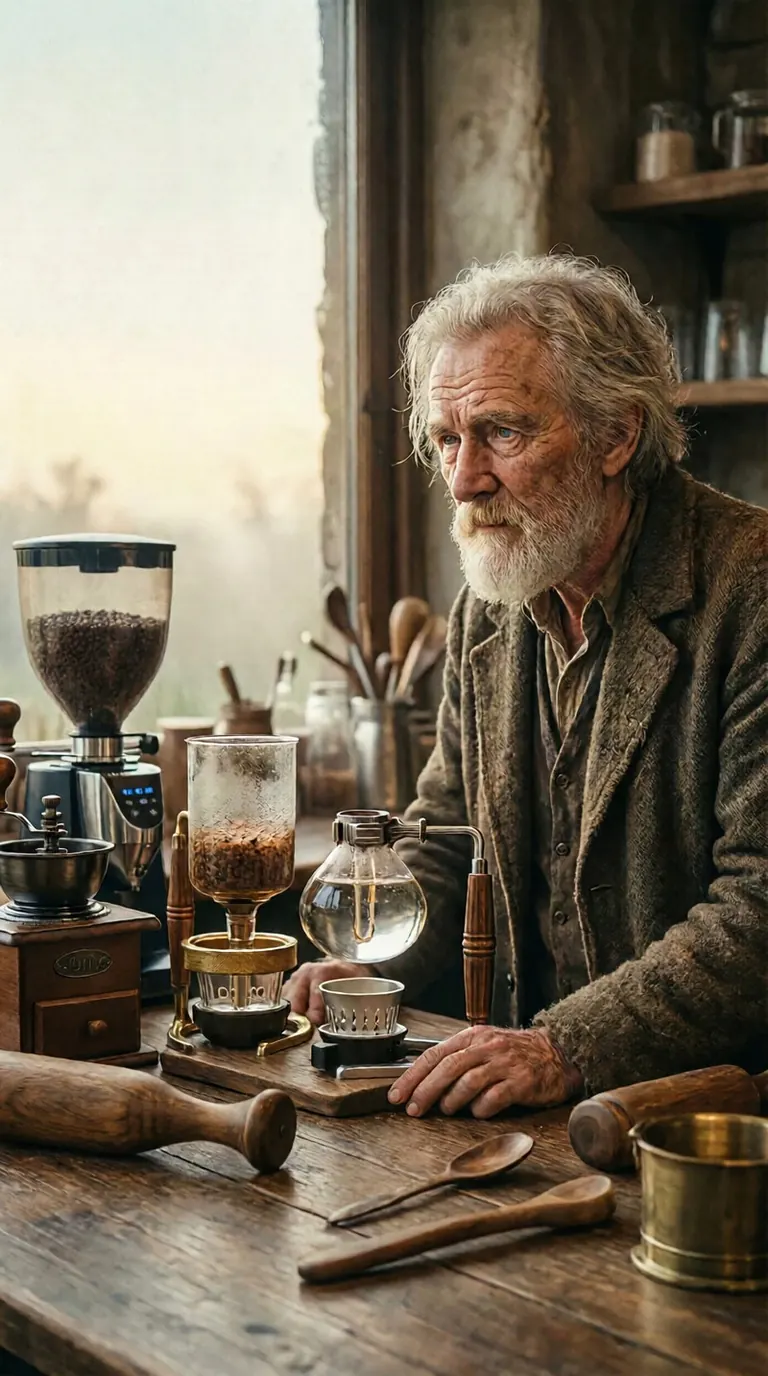
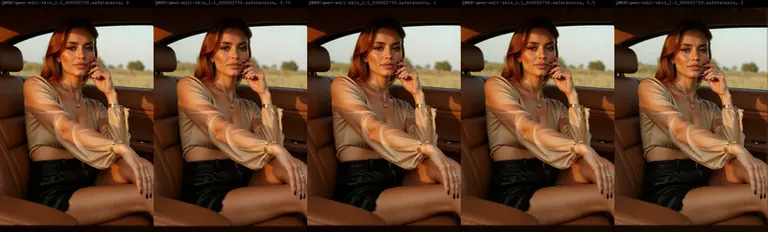

No se compartió ningún prompt con este render.
No se compartió ningún prompt con este render.
Ajustes
Sampler
Euler a
Pasos
30
Guidance
6
Semilla
6565765
Tamaño
2048x2048
Prompt
best quality
Prompt negativo
worst quality
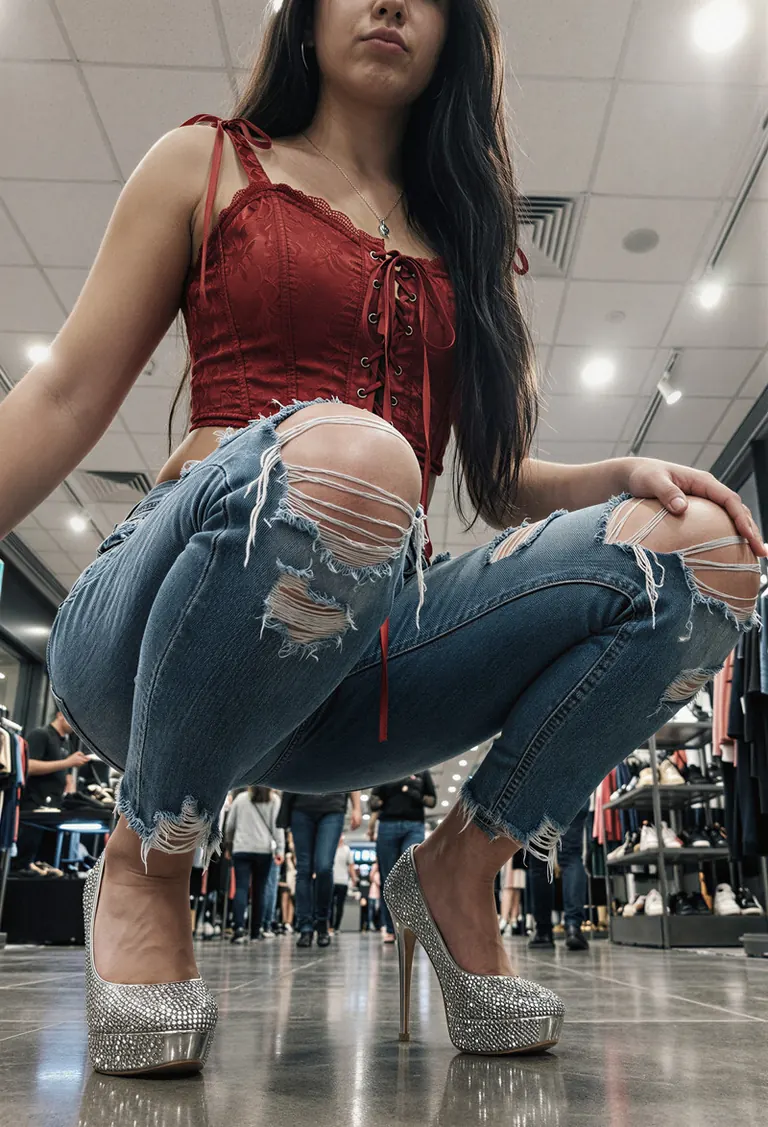
No se compartió ningún prompt con este render.
No se compartió ningún prompt con este render.
Ajustes
Pasos
4
Guidance
1
Tamaño
1472x2160
Prompt
A young woman with long, dark straight hair sits low on a reflective floor in an indoor shopping mall or retail space, her body angled slightly toward the viewer as she crouches with knees bent inward and feet planted firmly apart. She wears a cropped red corset-style top featuring lace-up detailing down the front and tied ribbon straps over each shoulder, paired with heavily distressed light-wash jeans that have large, frayed tears at both thighs. Her footwear consists of sparkling silver platform heels with transparent bases, catching ambient reflections off the polished tile beneath them. The setting includes white ceiling panels illuminated by bright overhead lights casting even illumination across the scene while creating subtle highlights along her outfit’s edges and skin contours; minimal shadowing suggests strong artificial lighting from above. In the blurred background, other shoppers can be seen walking through aisles lined with display shelves holding shoes or apparel, reinforcing the commercial context. The photograph appears to be taken from a very low angle—almost ground level—with tight framing emphasizing her legs, torso, and upper limbs, drawing attention primarily to her fashion-forward attire and confident posture despite being seated rather than standing. There's little discernible facial detail due to cropping near her mouth and chin area, but her lips are pursed faintly suggesting mild self-awareness or playful intent behind the pose. The overall tone feels modern and stylized for social media presentation, prioritizing bold visuals against clean architectural surroundings.
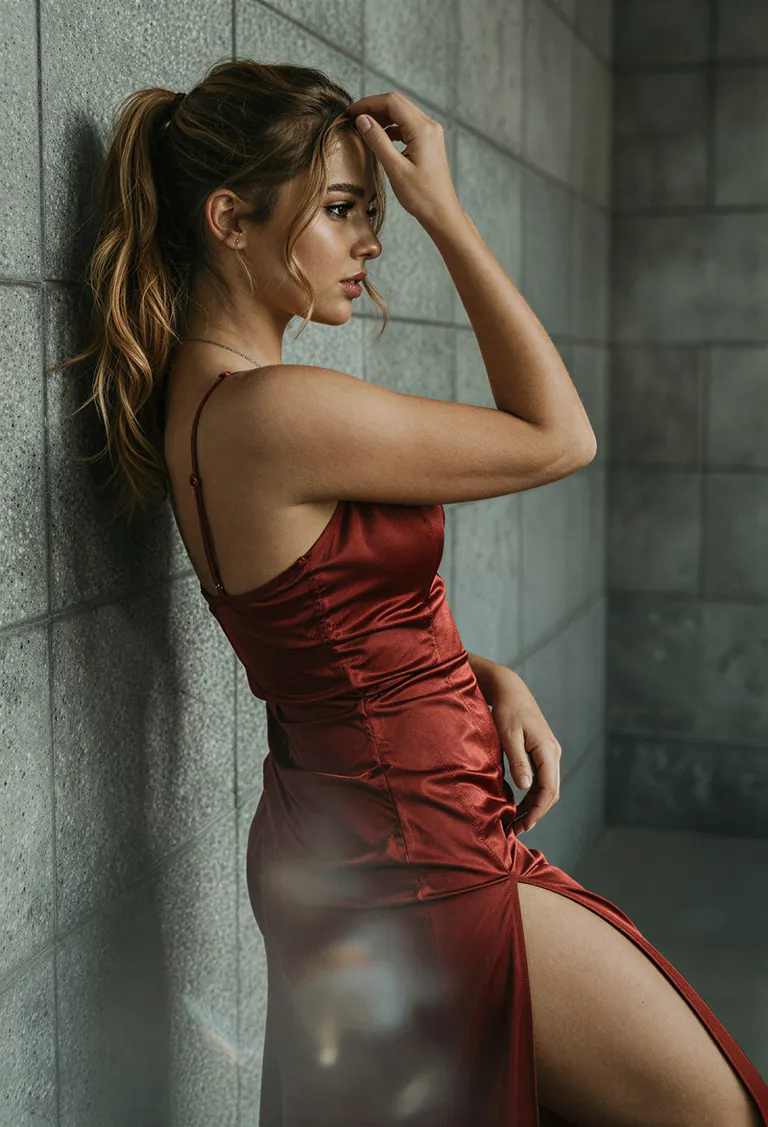
Ajustes
Tamaño
1472x2160
Prompt
The young 20 years old woman’s hair is a cascade of rich caramel-brown waves, gathered high into an effortless ponytail with loose tendrils framing her cheekbones; the texture suggests silky sheen under studio-grade illumination. Her skin glows with a warm, porcelain tone—smooth yet subtly defined by natural contours. The red gown hugs every curve with precision—a satin-like material reflecting ambient glow along its décolletage and thigh-high slit, where folds ripple as though caught mid-motion. A thin, delicate chain necklace rests at her collarbone, catching glimpses of sunlight off its metallic links while resting against the smooth expanse of exposed backskin. She leans casually against a textured concrete wall composed of large, square tiles speckled with fine aggregate grains, their muted gray palette contrasting sharply with the dress's saturated hue. Light enters from above-left, casting long shadows beneath her arm and accentuating the sculpted arch of her spine—the highlight tracing down to the hemline where fabric drapes over hip bones without clinging or tearing. Her right hand gently brushes through her hair near temple, fingers slightly curled around strands that drape softly over one shoulder. The background recedes evenly behind her form, leaving foreground emphasis on the garment’s fluidity and body silhouette. Shot from a slight low angle, likely via a medium telephoto lens, this image isolates her figure within shallow focus—an ethereal blur enveloping distant walls while sharp detail lingers on lace-up straps, lip gloss gleam, and earlobe stud. Negative space stretches vertically beside her torso, drawing eyes upward toward gaze and downward past the skirt’s edge, creating vertical rhythm anchored only by subtle diagonal motion implied in posture. Depth appears layered but restrained, reinforcing intimacy despite urban backdrop. Reflections shimmer weakly off glossy surfaces nearby unseen—but none distract from the arresting center mass: human grace rendered static yet alive.
Ajustes
Tamaño
1472x2160
Prompt
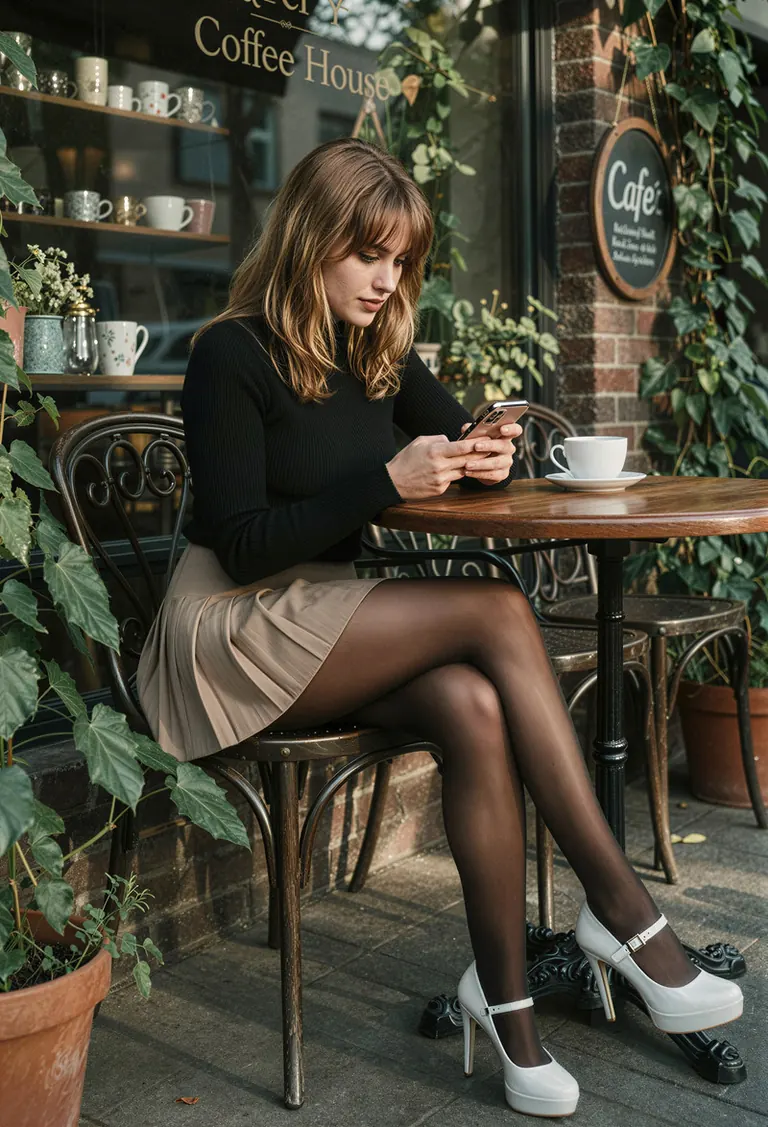
The young woman sits at a wrought-iron café table with glossy black legs that reflect the afternoon sun’s slanted rays; her posture is relaxed yet attentive as she gazes down at her smartphone, its screen glowing faintly against the dimmer ambient light. Her shoulder-length brown hair has subtle wave texture near the ends, catching golden sunlight on one side while casting deeper shadows across the other—her bangs frame delicate cheekbones accentuated by softly defined eyeliner and warm-toned lipstick. She wears a ribbed black long-sleeve top made from fine knit material, showing slight stretch around her arms and shoulders, paired with a beige pleated skirt that hugs her hips snugly before flaring slightly over dark patent leather tights—their smooth surface gleaming where it catches the light. High-heeled platform shoes in white lacquer dominate her silhouette, their metallic buckles glinting under direct illumination, contrasting sharply with the matte finish of her sheer stockings. The chair beside her features ornate scrollwork along its backrest and seat rails, polished to mirror-like shine, resting atop terracotta-colored potted plants whose broad leaves cast dappled shadows onto nearby brick walls. Behind her, large glass windows display “Coffee House” lettering in bold serif font above shelves stocked with ceramic mugs and decorative items—a circular chalkboard sign reading "Café" hangs crookedly to the right, adding an informal charm. Sunlight filters through hanging vines outside, creating dynamic stripes on the sidewalk and wall surfaces, enhancing contrast between illuminated zones and deepened recesses within the storefront's interior architecture. A single white coffee cup rests untouched on the wooden tabletop, positioned diagonally relative to her body, drawing attention to the asymmetrical balance created by her seated form. From this low-angle viewpoint, foreground elements like flower pots and chair feet anchor stability, while background signs recede into atmospheric haze, lending dimensionality without overwhelming focus. Shadows are elongated but softened due to diffuse daylight streaming horizontally across the scene—an effect amplified by the shallow depth-of-field rendering only immediate objects crisply detailed versus blurred surroundings beyond two meters away.
Ejecutar en local

1.1 Other Steps.zip
qwen-edit-skin_1.1_000002750.safetensors
Las descargas las sirve Civitai. Algunos creadores piden iniciar sesión en Civitai primero.



Skin11 qwen es un LoRA para la familia Qwen listado en ModelTrends.ai, un catálogo de solo lectura de modelos de IA de imagen, vídeo y texto de código abierto. Compáralo con otros modelos Qwen, consulta su puntuación de calor para ver su tendencia y ábrelo en PirateDiffusion o BitVector para probarlo.
Explorar por familia de modelos

Modelos Text / LLM
434

Modelos Anima
528

Modelos Chroma
19
Modelos Fibo
2

Modelos Flux
1,496

Modelos Flux 2 / Klein
1,239

Modelos Flux 3
3

Modelos Moss
3

Modelos Iris
1

Modelos MiniMax H3
364
Modelos Hunyuan
204

Modelos Ideogram
20

Modelos Krea2
717

Modelos Qwen
20

Modelos Qwen2
47
Modelos Ltx2
153