
MiniMax H3 video prompts: the official structure
Přehled
MiniMax H3 makes video with sound from one prompt. There are four tasks: T2VA builds the whole audiovisual timeline from text; I2VA starts from a first frame and develops forward; FL2VA travels from a first frame to a last frame; L2VA converges on a last frame from a plausible earlier state. The body of the prompt is the same for all four. The three image tasks add one instruction line in front of it.
A finished prompt has two parts: the instruction line (image tasks only), one blank line, then the three core fields integrated_multimodal_description, overall_soundscape and non_diegetic_music, each on its own paragraph and written in English. Every detail in them must be something the viewer can see or hear.
This guide condenses the official document into a reference table, a writing order, the official examples and the rules people trip over. The source is linked above and stays the authority when the two differ.
Reference
Název | Typ | Co to je |
|---|---|---|
integrated_multimodal_description | core field | The timeline, shot by shot: visual style, composition, subjects and their positions, scene and props, actions and reactions, cuts, camera moves, speakers, dialogue, singing and the diegetic sound that goes with them. |
overall_soundscape | core field | One paragraph of 1 to 4 sentences: ambient sound, physical action sounds and non-verbal human sounds (wind, rain, traffic, footsteps, fabric, impacts, breathing, laughter) across the whole video. No dialogue, singing or diegetic music here. N/A only when the user asks for complete silence. |
non_diegetic_music | core field | 1 to 3 sentences about the score only the audience hears: instrumentation, tempo, rhythm and dynamic changes. No mood words and no explanation of its emotional role. N/A when there is no score. |
I2VA instruction | first line | For the target video, at 0.00 seconds into the target video, <Picture 1> (from [Shot 1]) is fully referenced. |
FL2VA instruction | first line | How the reference pictures align with the target video — Picture 1 (from Shot 1) aligns with the 0.00-second mark of the target video; Picture 2 (from Shot N) aligns with the S.SS-second mark of the target video. |
L2VA instruction | first line | How the reference pictures align with the target video — <Picture 1> (from [Shot N]) aligns with the S.SS-second mark of the target video. N is the index of the real final shot; S.SS is the video length with exactly two decimals. |
[Shot 1] | shot marker | Opens the description. No timestamp. Starts with the overall style (Cinematic, live-action, 2D-animated, 3D CG, claymation, watercolor, vintage film) and the first composition. |
[Shot 2] At 00:03.500, the camera cuts to ... | shot marker | Every later shot: a sequential number and a strictly increasing cut time inside the video length, then the cut phrase and what the new shot shows. |
(S1), (S2), (S1,S2) | speaker ID | A stable ID for every subject that speaks, sings or is heard off screen; the same ID across shots; a compound ID when numbered speakers vocalize together. Characters who never vocalize get none. |
<d>[English] ... </d> | dialogue tag | Only the language tag and the exact spoken words, with every original word and punctuation mark kept. Who is speaking, the action and the delivery stay outside the tag. |
"..." | on-screen text | Any banner, sign, label, subtitle or neon text that is really visible, in English double quotes, verbatim and untranslated. |
camera motion | phrase | Motion type, plus amplitude and speed only when they matter, written as a natural action inside the shot: The camera pushes in with small amplitude at slow speed toward the folded letter in her hands. |
says in an off-screen voiceover | fixed phrase | The only wording for voiceover. Right after the <d> block, state that the on-screen character's lips remain completely closed. |
Krok za krokem
- Pick the task. For T2VA begin directly with the three core fields. For I2VA, FL2VA and L2VA write the alignment instruction as the very first line, leave one blank line, then write the fields. N is the index of the final shot and S.SS the effective length with two decimals.
- Open [Shot 1] with the style and the initial composition. For an image task take the style from the reference picture and keep identity, clothing, colours, key objects and spatial relationships consistent with it; for T2VA choose the style from the request.
- Write the rest of the description along the timeline: appearance and position of the subjects, scene and key props, actions and reactions, shot changes, spoken words and the synchronized diegetic sound. Leave out anything that cannot be seen or heard.
- Cut only when the new shot brings new information about the subject, space, state, viewpoint or time. Number the shots in order and begin each later one with a strictly increasing cut time. When only the distance or a slight angle changes, move the camera instead of cutting.
- Write camera moves as actions: the motion type, then with small amplitude or with large amplitude and at slow speed or at fast speed only when they are meaningful. Medium amplitude and normal speed are left out.
- Introduce every voice at its first appearance with enough identity to stay stable (character type, age, gender, on or off screen, pitch, timbre, speaking rate, accent) and its ID. Put the exact words inside <d>[English] ... </d>, keeping punctuation, and never translate or rewrite them.
- For voiceover use the exact phrase says in an off-screen voiceover and add, right after the tag, that the corresponding on-screen character's lips remain completely closed.
- When a line of dialogue or lyrics crosses a cut, tag both parts and say that the audio continues across the cut (continues seamlessly across the cut, continues uninterrupted into the next shot, carries over from the previous shot, remains audible across the transition). Speech truncated by the end of the video is tagged as well.
- Put visible on-screen text in double quotes, exactly as it reads.
- Write overall_soundscape as one paragraph of 1 to 4 sentences about ambience, action sounds and non-verbal human sounds for the whole video. Dialogue, singing and music the characters hear already live in the description, so do not repeat them.
- Write non_diegetic_music in 1 to 3 sentences about instruments, tempo, rhythm and dynamics, or N/A. Radio, television, phone music and live singing are diegetic and belong in the description.
- For an image task follow the recommended path. I2VA: first-frame anchor, action onset, continuous development, result or reaction. FL2VA: first-frame state, observable intermediate changes, progressively narrowing differences, last-frame state, usually in one shot. L2VA: plausible preceding state, explicit action and transition path, gradual convergence in the final shot, last-frame landing.
Příklady
Camera motion written as an action
The camera pushes in with small amplitude at slow speed toward the folded letter in her hands.
The camera pans right with large amplitude at fast speed, revealing the open doorway.
The camera holds a static shot as the runner exits the frame.
Speakers, dialogue and voiceover
The young woman with a quiet, breathy voice (S1) says: <d>[English] I get off at the next station.</d>
The two children (S1,S2) shout together, <d>[English] Wait for us!</d>
The man (S1) says in an off-screen voiceover: <d>[English] I still remember that road.</d> while his lips remain completely closed.
A red neon sign reading "营业中" glows above the doorway.
Case 1: T2VA (text only)
integrated_multimodal_description: [Shot 1] Live-action, cinematic, a medium-wide shot frames a baker opening the shutters of a small street bakery before sunrise. The camera pushes in with small amplitude at slow speed as the middle-aged baker with a calm, slightly raspy voice (S1) places a fresh loaf on the wooden counter and says: <d>[English] First batch of the morning.</d> [Shot 2] At 00:05.000, the camera cuts to a close-up of steam rising from the sliced bread while the baker's final words carry over from the previous shot.
overall_soundscape: Wooden shutters scrape open over a quiet street as trays clink softly inside the bakery. The doorbell rings once, followed by light footsteps and the crisp sound of bread being sliced.
non_diegetic_music: A soft acoustic-guitar pattern at a moderate tempo, joined by sparse upright-bass notes and a gentle fade at the end.
Case 2: I2VA (first frame)
For the target video, at 0.00 seconds into the target video, <Picture 1> (from [Shot 1]) is fully referenced.
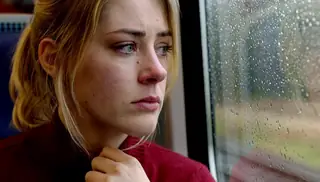
integrated_multimodal_description: [Shot 1] Live-action, cinematic, the young woman shown in <Picture 1> remains beside the rain-covered train window, preserving her appearance, clothing, seat position, and the carriage layout. The camera trucks right with small amplitude at slow speed as she lifts her gaze from the folded letter toward the passing city lights. Her reflection moves across the glass while the quiet, breathy young woman (S1) says: <d>[English] I get off at the next station.</d> She folds the letter along its existing crease.
overall_soundscape: The train wheels produce a steady metallic rhythm beneath a low ventilation hum. Rain ticks against the window while paper rustles softly in her hands.
non_diegetic_music: Sustained cello notes at a slow tempo with widely spaced piano tones, gradually decreasing in volume.
Case 3: FL2VA (first and last frame, one eight-second shot)
How the reference pictures align with the target video — Picture 1 (from Shot 1) aligns with the 0.00-second mark of the target video; Picture 2 (from Shot 1) aligns with the 8.00-second mark of the target video.
integrated_multimodal_description: [Shot 1] Live-action, cinematic, a rain-soaked cyclist begins in the position and framing established by Picture 1, holding a closed black umbrella beside a silver bicycle. The camera pulls out with small amplitude at slow speed as she releases the bicycle handle, raises the umbrella above her shoulder, and presses the runner upward until the canopy opens. Water rolls from the expanding fabric while she steps beneath it, rotates the handle into the final angle, and settles into the pose, spacing, and composition established by Picture 2 at the end of the shot.
overall_soundscape: Rain falls steadily on the pavement, followed by the metallic click of the umbrella runner and the soft snap of the canopy opening. Water drips from the bicycle frame as distant traffic passes.
non_diegetic_music: N/A
Case 4: L2VA (last frame, one six-second shot)
How the reference pictures align with the target video — <Picture 1> (from [Shot 1]) aligns with the 6.00-second mark of the target video.
integrated_multimodal_description: [Shot 1] Live-action, cinematic, a close shot begins with an intact drinking glass near the edge of a dark wooden table, while the same hand and sleeve visible in <Picture 1> approach from the right. The camera pushes in with small amplitude at slow speed as the fingertips strike the rim. The glass tips, falls, and hits the floor with a sharp impact; cracks spread through it as fragments slide outward. Toward the end, the moving pieces lose momentum and settle into the exact broken arrangement, hand position, camera angle, lighting, and final composition established by <Picture 1>.
overall_soundscape: Fingertips tap the glass before it scrapes across the tabletop, falls, and breaks with a sharp crash. Small fragments scatter and gradually stop sliding across the floor.
non_diegetic_music: A low electronic pulse at a slow tempo, ending immediately after the glass breaks.
Tipy
- Motion types the guide names: Zoom In / Zoom Out (focal length changes, camera still), Push In / Pull Out (camera moves forward or back), Pan Left / Right (lens pivots horizontally), Truck Left / Right (camera slides sideways), Tilt Up / Down (lens pivots vertically), Pedestal Up / Down (whole camera rises or drops), Arc Shot, Tracking Shot, Static Shot, Shake Slightly / Shake Strongly, POV, Roll Clockwise / Counterclockwise. Amplitude: with small amplitude, with large amplitude. Speed: at slow speed, at fast speed.
- Cut wording: the camera cuts to, the shot cuts to, the shot transitions to, the shot changes to, the shot switches to. Cross-dissolve, fade and wipe only when the user asks for them.
- FL2VA favours a single shot so the model can interpolate continuously; use several shots only when they are explicitly specified, and the last frame must be reached by the final shot at the end of the video.
- For L2VA the picture belongs to the last shot, not to Shot 1. Start from an earlier state that could plausibly lead to it.
- The music field is about instruments, speed, rhythm and dynamics. Leave out mood words and what the score is supposed to make the audience feel.
- Describe sound that is tied to an action in the description next to the action; the soundscape is the summary for the whole video, not a second script.
- One blank line between the instruction and the fields, and one between the fields, exactly as in the official cases.
Řešení problémů
The video does not land on the last frame
Proč k tomu dochází
In FL2VA or L2VA the reference picture was described as a static image, reached in an earlier shot, or the alignment time did not match the real length of the video.
Jak to opravit
Write the motion path that connects the states instead of two descriptions, let the convergence happen in the final [Shot N], and set the S.SS alignment time to the effective duration with two decimals.
Lips move during a voiceover
Proč k tomu dochází
The voiceover was not marked with the exact phrase, or the sentence about closed lips after the <d> block was missing.
Jak to opravit
Use says in an off-screen voiceover and add directly after the tag that the on-screen character's lips remain completely closed.
The spoken words come out rewritten, translated or padded
Proč k tomu dochází
Delivery notes or descriptions ended up inside the <d> tag, or the words were paraphrased rather than written out.
Jak to opravit
Inside <d>[English] ... </d> keep only the language tag and the exact words with their punctuation; put the speaker's identity, action and delivery outside the tag.
Cuts feel random or the shots run out of order
Proč k tomu dochází
A cut that adds no new information, missing or non-increasing cut times, or a timestamp on the first shot.
Jak to opravit
No timestamp on [Shot 1]; every later shot starts with a strictly increasing time inside the video length and a cut phrase; replace small reframings with a camera move.
The soundtrack is generic or doubles the dialogue
Proč k tomu dochází
Mood words in non_diegetic_music, or dialogue and singing repeated in overall_soundscape.
Jak to opravit
Describe instruments, tempo, rhythm and dynamics in the music field; keep the soundscape to ambience, action sounds and non-verbal human sounds.
Otázky
Does the first shot need a timestamp?
No. [Shot 1] carries no time. Every later shot starts with a strictly increasing cut time that falls inside the video length, for example [Shot 2] At 00:03.500, the camera cuts to ...
What goes inside the dialogue tag?
Only the language tag and the exact spoken content, with every original word and punctuation mark kept verbatim. The speaker's identity, ID, action and delivery stay outside the tag.
What if nobody speaks?
Then no character gets a speaker ID. The soundscape still describes ambience and action sounds; N/A is reserved for a video that must be completely silent.
Can an FL2VA prompt have several shots?
Only when the user explicitly asks for them. One shot lets the model interpolate from the first frame to the last; whatever the count, the last frame must be reached by the final shot.
Where does music the characters can hear go?
Radio, television, phone music, instruments and singing are diegetic events and belong in integrated_multimodal_description. non_diegetic_music is only for the score the audience hears.
Is there a format for reference audio and voice cloning?
Yes. Full-reference mode has its own six-section format in MiniMax's reference guide, linked below. Mark White's audio prompting guide covers how to bind a reference voice to a speaker.
Odkazy a zdroje
- MiniMax's official video prompt writing guide (base tasks)
- MiniMax's reference-mode prompt writing guide
- MiniMax H3 model card on Hugging Face
Modely v tomto návodu
Napsal
Řídí tuto loď. Má názory na doby dekódování VAE, o které nikdo nežádal. Věří, že váhy chtějí být volné a že každý model, který si nemůžeš stáhnout, je předplatné s dalšími kroky. Nebude odpovídat na otázky ohledně 400 GB checkpointů na NASu.
Všechny průvodce od Captain
Související návody
Promptování MiniMax H3: text na video, obrázek na video, referenční video a audio
20. Zář 2026
ComfyUI uzly: dokumentace a řešení problémů
2. Čvn 2026

Wan 2.2 video: nastavení text-to-video a image-to-video, nastavení a LoRA
24. Kvě 2026
Další návody

Nejlepší open-source AI video modely v roce 2026: co si opravdu můžeš stáhnout
14. Říj 2026

Kolik VRAM potřebuješ pro AI video? Wan 2.2, HunyuanVideo 1.5 a LTX-2 podle velikosti GPU (2026)
6. Říj 2026

Generování AI videa pro začátečníky: z obrázku na video, z textu na video a první klip s Wan, LTX-2 a H3
29. Dub 2026
MiniMax H3 Turbo LoRA: Video za 4-8 kroků s balíčkem larryvrh
1. Říj 2026
Jak nainstalovat Wan2GP: AI video a obrázky na GPU s nízkou VRAM
8. Říj 2026