
CrystaliTIXL
7845°
<crystaliti-xl>
ModelTrendsのタグに対応したアプリでは、このコードをプロンプトにコピーするだけでモデルを実行・インストールでき、設定は不要です。Prism(下記)など対応アプリのアイコンを探してください。
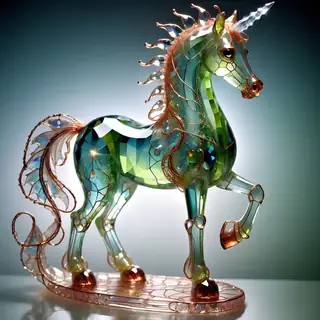
このモデルを実行
オファー/広告

Easy Creator (Prism) Web
無制限・定額
初心者に最適。強力なワークフローで学習も簡単。

PirateDiffusion Telegram
無制限・定額
動画、画像、カスタムチャットペルソナなどを作成。

Pro studio (SpyGlass) Web
無制限・定額
どのブラウザやスマホからでもモデルを閲覧、レンダリング、調整できる。

Discord bot (Vector)
無制限・定額
Vectorをサーバーに追加するか、VectorのDiscordに参加しよう。何でも作れる!

Unified Editor Web
無制限・定額
画像と動画のエディター:レンダリング、編集、アップスケールなどを一つのページで。

Civitai Web
使った分だけ支払い
Civitai公式サイトで生成、画像ごとにBuzzクレジットが必要。

ローカルアプリ
セットアップが必要
パソコンの性能が十分なら、ローカルプログラムもセットアップできるよ。

ModelDuel Web
使った分だけ支払い
最大50のチェックポイント/ベースモデルで同じプロンプトを一度に生成します。


by chromesun - CrystaliTIXL
作者のメモ
UPDATE: 2024-MAR-03
A complete redo-from-start.
Trigger: cs-cr1stal-v2
This embedding adds a colorful glassy/crystalline effect to your generated images. Generally you should use the trigger at or near the start of your prompts.
For short prompts you’ll usually get a glass figurine result.
For longer prompts the embedding should affect your main subject and perhaps some other minor objects. It may add faceted gems here and there.
Occasionally it causes the main subject to be missing - don’t know why, but I’ve observed the same thing happening with other TIs and LoRAs. Guess it’s just part of the fun of SDXL :-)
For this embedding, using color terms such as ruby, amethyst, sapphire etc is generally better than using red, purple, blue etc.
Sometimes the embedding adds feathers. No idea why.
Weighting from 0.8 1.2 worked fine but I found little need for weighting in a1111. If you’re using ComfyUI you might need to weight upwards. I don’t know why, but several ComfyUI users have told me they needed to up-weight embeddings in general.
Generally I’ve been using it with:
Euler A or DPM++ 2M Karras
width x height: either 1024x1024 or values that multiply to approx 1 megapixel
30 50 steps
cfg from 7 10
Hires.fix:
Latent (nearest-exact) scaling between 1.25 and 1.75, steps=30, denoise=0.7
Can give some fantastic images but the high denoise risks mutation/duplication.
or
4X-UltraSharp scaling between 1.25 and 1.75, steps=30, denoise=0.4
The denoise is high emough to add some extra detail without risking too much mutation/duplication.
Models:
mostly tested with Crystal Clear XL model:
Also got good results with Juggernaut 9, Artium 2, Pixelwave 8, Polyhedron 3, and ZavyChroma.
This embedding worked well in combination with all the LoRAs and embeddings I tried. Using multiple LoRAs in one prompt with this embedding also worked well.
[PUBLISHEDTOCIVITAIONLY]
= = = = = = = = = = = = = = = = = = = = = = = = = = = = = = = = = = = = = = = =
UPDATE: 10 Sep 2023
This embedding adds crystal and/or gem effects to SDXL generated images. The low step count means it’s not subtle, but I hope it shows there’s untapped potential for SDXL embeddings.
The downloadable “kcrstal17xl-step00002000.safetensors” is 2000 steps, batch=1, trained on a set of fifty 1024x1024 images using kohya_ss. If I can bear the slooooooow training time I’ll update this page with a more refined embedding in the future.
The showcase is in pairs of automatic1111 webui outputs:
with the embedding, without the embedding
The showcase images use the Crystal Clear XL model:
Prompting has been a bit annoying, perhaps because I don’t really have a feel for the changes from Stable Diffusion v1.5 to SDXL. The prompts for the showcase images are mostly in the form:
kcrstal17xl analog realistic __art styles 1__ colour photo of a __crystal_test_1__, very detailed, award-winning
Wildcard __art styles 1__ is a list of art styles such as “Impressionism”.
Wildcard __crystal_test_1__ is a list of short phrases such as “frog on a deckchair”.
You can weight the embedding up or down - I generally use values between 0.6 and 1.2. Strangely, I’ve found that a weighting of 0.1 still has a noticeable effect.
= = = = = = = = = = = = = = = = = = = = = = = = = = = = = =
03 Sep 2023
This is a proof-of-concept rather than a polished embedding. Maybe it should be an Article rather than a normal resource page?
The downloadable “kcrstal17xl-step00001200.safetensors” is just 1200 steps, batch=1, trained on a set of fifty 1024x1024 images. If I can bear the slooooooow training time I’ll update this page with a more refined embedding in the future.
The embedding adds crystal and/or gem effects to SDXL generated images. The low step count means it’s not subtle, but I hope it shows there’s untapped potential for SDXL embeddings.
The showcase is in pairs of ComfyUI outputs:
with the embedding, without the embedding
and then 2 pairs of the mess that a1111 v1.6.0 outputs:
saved image, screencap of “Approx NN” preview
- - - - - - - - - - - - - - - - - - - - - - - - - - - - - - - - - - - -
Rambling explanation...
I’m quite impressed with the output from SDXL and I wanted to convert/recreate my SD v1.5 embeddings to work with SDXL.
The Train tab in automatic1111 webui was what I used to make CrystaliTI:
and I hoped the recent v1.6.0 of a1111 would add SDXL training. Nope. And not likely to happen either according to this:
The obvious answer seemed to be kohya_ss:
I’ve never used it, so the sheer amount of config options was a bit of a shock! First thing I tried was to recreate CrystaliTI in kohya_ss. That didn’t get off to a good start, but thanks to:
I got there in the end. Thumbs-up to for the above tutorial.
The kohya_ss TI is different from my original CrystaliTI of course, but it’s similar enough that I’m OK with it.
Next step was to change the kohya_ss settings to use SDXL and point it at 1024x1024 versions of my 50 training images. 21 hours later, kohya_ss has managed 1240 steps out of 2000 (batch=1).
That’s just over 1min/it. :-(
By comparison, I think recreating CrystaliTI ran at about 0.5s/it.
I was expecting (guessing!) a slowdown of between 4 and 16 times. Not >100 times slower :-(
The PC I’m using is:
Nvidia 3060/12GB (not the Ti version), Ryzen 7-2700 (8c/16t), 64GB system RAM, multiple SSDs, Win10pro.
While kohya_ss is making the SDXL embedding, it’s using all 12GB of the 3060 + 7GB of “Shared GPU memory”. I guess using the shared RAM (i.e. system RAM) is one reason it’s so slooooooow?
Perhaps there are some better settings I can use in kohya_ss? A quick google shows contradictory/incomplete info so if anyone has any suggestions of what options in the current kohya_ss can help with VRAM consumption... I’m all ears.
Kohya_ss is set to save the embedding every 50 steps, so I’ve been able to copy them over to my backup machine: 2060/6GB, i7-10750H (6c/12t), 16GB system RAM, multiple SSDs, Win10pro. It can gener
トリガーワード
cs-cr1stal-v2
SHA256
724C80AB7720FD80F7728A2A85F184978A9ED9D0FC780003C6586B7ECDF2E25D
Ranking badge
Updated Oct 22, 2026

Made this model? Show this badge on your page.
Paste it into your Hugging Face card or Civitai description.
CrystaliTIXL の人気トレンド
ヒートスコア、過去12ヶ月
ヒートスコア
7,845°
今週
▲
0.1%
7,847° 当時、7,845° 今
今月
▲
0.6%
7,852° 当時、7,845° 今
過去1年
▲
12.4%
7,902° 当時、7,845° 今
7,000°
基準値
スケールは0°から9,999°までです。7,000°未満はまだどのソースも報告していないモデル用に確保されており、リストを完全に保つために仮の数値が割り当てられています。7,000°が実際のデータが始まる地点で、実データがほとんどないモデルはここに位置し、それより上の度数が測定値です。基準値自体はモデルについて何も示さず、上の度数だけがモデル間の違いを示します。
+969°
Civitaiのダウンロード数
この正確なバージョンはCivitaiで1,703ダウンロードされました。ダウンロード数は最も重い要素で、対数スケールでカウントされます:ダウンロード数が10倍になると300°上昇します。つまり100万ダウンロードのモデルは1000ダウンロードのモデルの1000倍熱いわけではありません。6つのダウンロードソースはこの1つの項目を共有し、それぞれの数に比例して分配されます。
+373°
いいね数
各ソースで304回のいいねや高評価があります。いいねはダウンロードの半分の重みで、同じ対数スケールで計算されます。
−497°
年齢
−497°はSDXLの重みが2023にリリースされたからです。すべてのモデルは基にしている重みの年齢を引き継ぎます:1年あたり150°、最大750°までで、それまでは増え続けます。これがなければ、リストのトップはダウンロード数が何年も積み重なった2022年や2023年のチェックポイントばかりになってしまいます。
詳細な内訳を表示
このサイトのすべての数字は確認できます。このモデルのヒートスコアは7,845°で、ここでは一つずつ要素を積み上げていき、各段階の合計を示しています:基準値、各ソースが加える度数、モデルの種類によるボーナス、そして重みの年齢による減算。色は上のチャートの帯を表しています。最後の用語集で全ての用語を定義しています。
- 1基準値から始めます。なぜ7,000°でゼロではないのか:スケールは0°から9,999°までで、7,000°未満はまだどのソースも報告していないモデル用に確保されており、仮の数値が割り当てられてリストを完全に保ち、データのあるモデルより上位にならないようにしています。7,000°が実際のデータが始まる地点です。実データがほとんどないモデルはここに位置し、それ以降が測定値で、基準値の上には10段階の10倍増が300°ずつあります。基準値はすべてのモデルで同じなので、何も決めません。違いを決めるのはその上の度数です。7,000°累計合計
- 2ダウンロード数を加算します。合計でCivitaiのダウンロード数から1,703のダウンロード相当数。ダウンロード数が10倍になると同じ300°が加算されるので、サイズは重要ですがスコアを独占することはありません。+969°7,969°累計合計
- 3いいね数を加算します。ダウンロードの半分の重みで304のいいねとサムズアップ。+373°8,342°累計合計
- 4年齢を除外します。SDXLの重みは2023にリリースされました:1年あたり150°、最大750°まで成長します。−497°7,845°累計合計
- =ヒートスコア。このモデルがこのサイトのすべてのリストでどの位置にいるか。これ以外の調整はありません。7,845°
用語集:ここで使われている用語
- ヒートスコア
- モデルが今どれだけ使われていて求められているかを示す1つの数字。0°から9,999°まで。ここで「最も熱い」と言われるすべてのリストはこれで並べられています。
- フロア
- 実データのあるすべてのモデルが7,000°からスタートする基準点。スケールは0°から9,999°までで、フロア以下はデータのないモデル用に確保されているので、データのあるモデルは必ず上位になります。フロアは全員共通で順位には影響しません。フロアを超えた度数が実際の評価です。
- ダウンロード相当数
- スコアがダウンロードとして扱うすべてのものを合計:ダウンロードそのもの、各トレントシーダーは1,000、各AI Horde画像と生成サイトでの実行は1としてカウント。
- 対数スケール
- 1ずつではなく10ずつ数えます:1,000から10,000ダウンロードに増えるのは、10,000から100,000に増えるのと同じ度数を加算。巨大なものが他を圧倒しないようにしています。
- いいね
- すべてのソースからのサムズアップといいね。対数スケールでダウンロードの半分の価値があります。
- 普及率
- 2回の計測の差からわかる、今の1日あたりのダウンロード数。ダウンロード項目の4分の1の重みです。
- 測定済みと推定
- 測定済みは、あるソースの2つの読み取り値が存在し、その差が実際のものであることを意味します。推定は、今日の合計だけがわかっていて、過去の値はモデルの寿命にわたって分配されていることを意味します。サイトはどちらを表示しているかを示します。
- シーダー
- トレント経由で他の人がダウンロードできるように重みのコピーをオンラインで保持している人、または同じことをするホストされたミラーのことです。それぞれが1,000ダウンロードとしてカウントされます。
- AI Horde
- 寄付されたコンピューターで無料で画像を生成するボランティアネットワークです。モデルで作成した画像の数は公開されており、それぞれが1ダウンロードとしてカウントされます。
- 生成サイト
- PixAI、SeaArt、Yodayoのように、自分のモデルのコピーをホストして人々が生成できるサイトです。これらのダウンロードはCivitaiのものと同じようにカウントされ、各生成実行が1ダウンロードとして数えられます。
- OpenRouterトークン
- ClaudeやGPTのようなAPI経由で提供されるテキストモデルはダウンロードする重みがなく、その利用はトークン数で測定されます。トークンとはOpenRouterを通じて読み書きされたテキストの断片で、OpenRouterは多くのアプリが利用するゲートウェイです。過去30日間のトークン数を10,000,000トークンごとに1ダウンロードとしてカウントします。出典:OpenRouter (openrouter.ai/rankings)、CC BY 4.0。
- 完全モデル(チェックポイント)
- 重みそのもので、単独で生成を行うファイルです。アドオンがこれに依存しているためボーナスがつきます。
- LoRAと埋め込み
- 他人の重みを特定のスタイル、キャラクター、コンセプトに向けて調整する小さなアドオンファイルです。単独では動作しません。
- ファミリーと重み
- モデルが基づいているベースで、SD 1.5、SDXL、Flux、Wanなどがあります。すべてのモデルはそのファミリーの重みのリリース日を継承します。
- 年齢
- ファミリーの重みがリリースされてからの経過時間に応じて減点されます:1年で150°、最大750°まで。古いダウンロードはリストの上位を凍結して積み上げられます。
- ファミリーブースト
- このサイトが現在推しているファミリーのLoRAに対する小さく制限された後押しで、常に内訳に表示されます。
- 代替スコア
- まだソースから報告がないモデルに与えられる安定した最低値で、リストが完全なままでいられます。データのあるモデルより上位には決してなりません。
- 新着!(猶予期間)
- 7日未満の新しいモデルはスコアの代わりに「新着!」と表示され、ランキングには入りません。スコアは初日から計算されますが、1日目のモデルは非常に急速に成長するため、猶予期間なしでは常に昨日リリースされたモデルが今週の#1になってしまいます。
- トレンド
- ある期間におけるモデルの成長が、同じ期間の典型的なモデルの成長と比べてどうかを示します。典型より速ければ上昇、遅ければ下降と読みます。
- 典型的なモデル
- カタログの真ん中にあたるモデルで、数値があるモデルの半分はこの期間により速く成長し、半分は遅く成長しています。
このモデルの人気がカタログ全体と比べてどう動いたかを示してるよ。期間ごとのダウンロード数、いいね数、使用数の伸びを、同じ期間の普通のモデルの伸びと比べてる。熱スコアもその時点のものだよ。普通の伸びより上なら人気が上がってる、下なら下がってるってこと。過去のデータは今日の合計、モデルの初日、ダウンロード速度の2回の計測から再構成してる。期間の初めに存在しなかったモデルはn/aになるよ。
作例
Civitai でこれらの作例を作った人たちが共有したプロンプトと設定です。作例を選ぶと、どのように作られたかが表示されます。
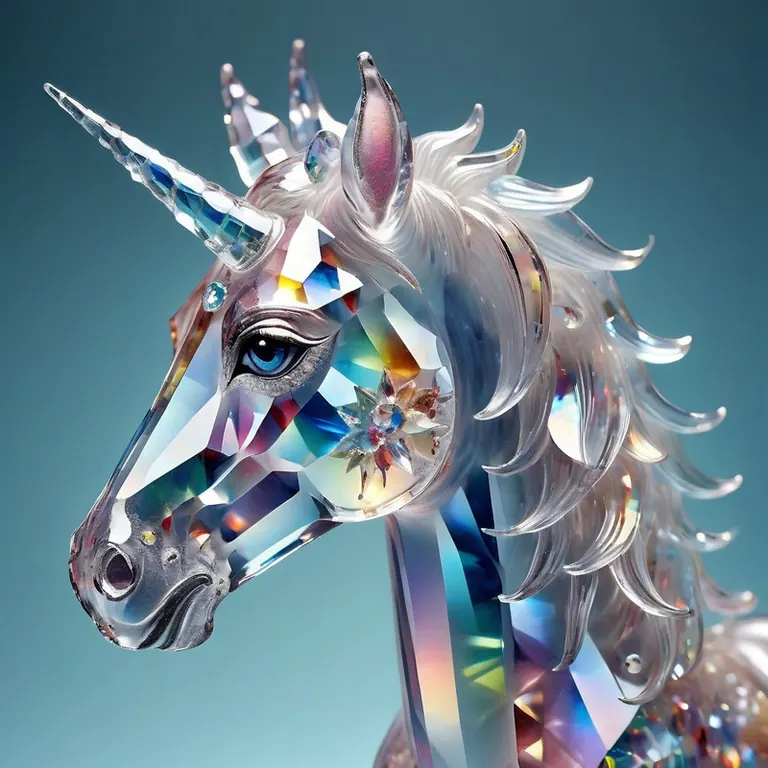

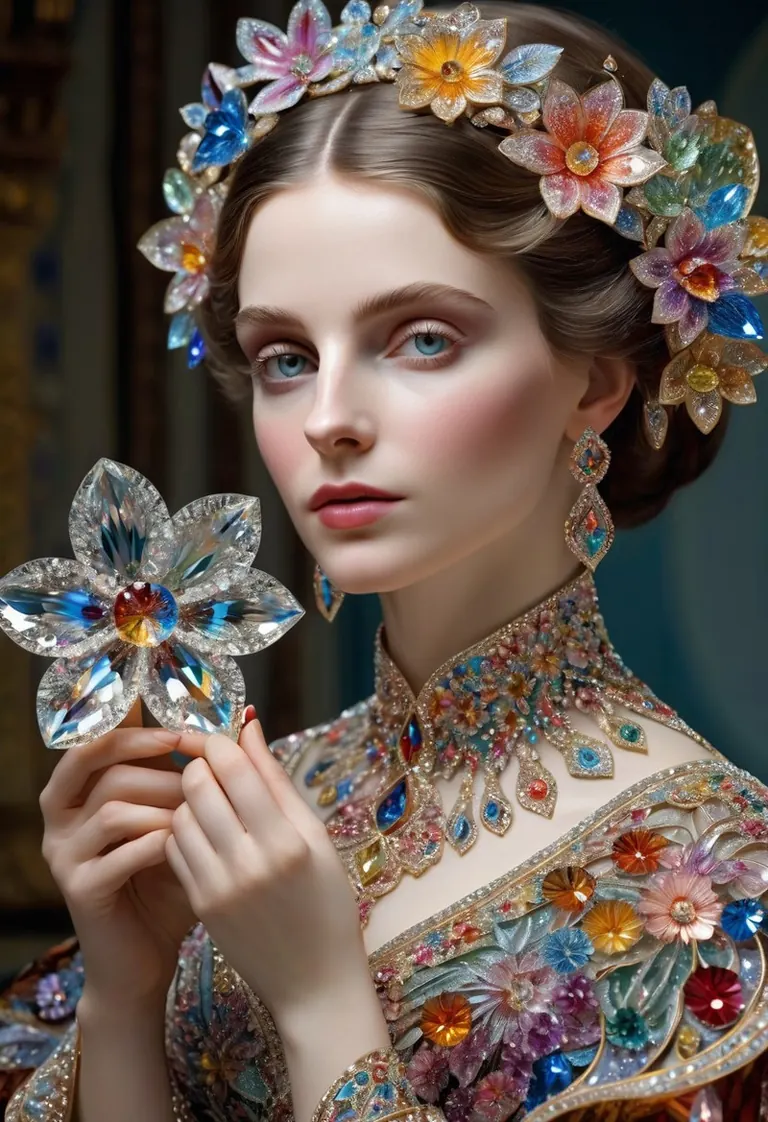
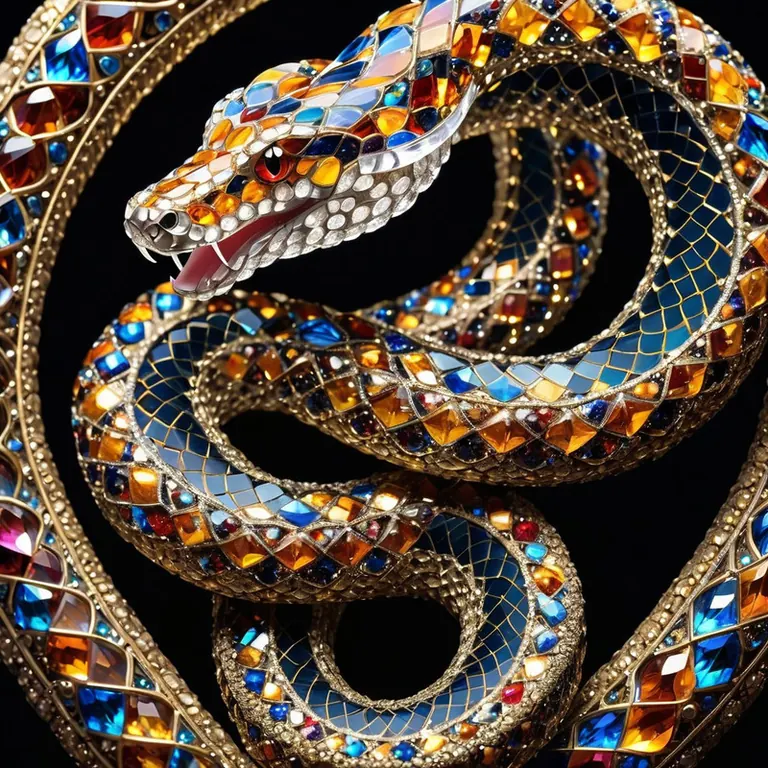
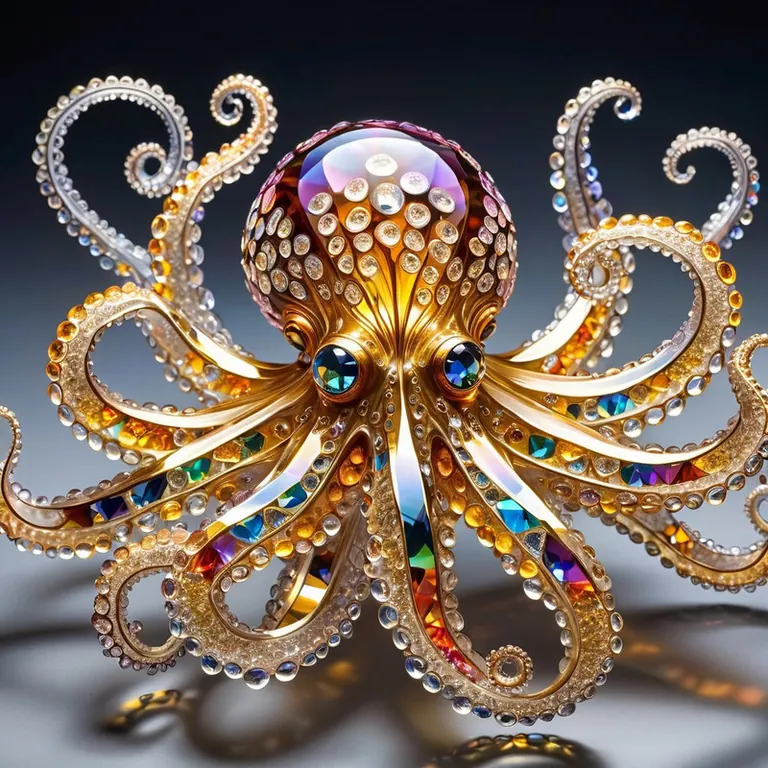
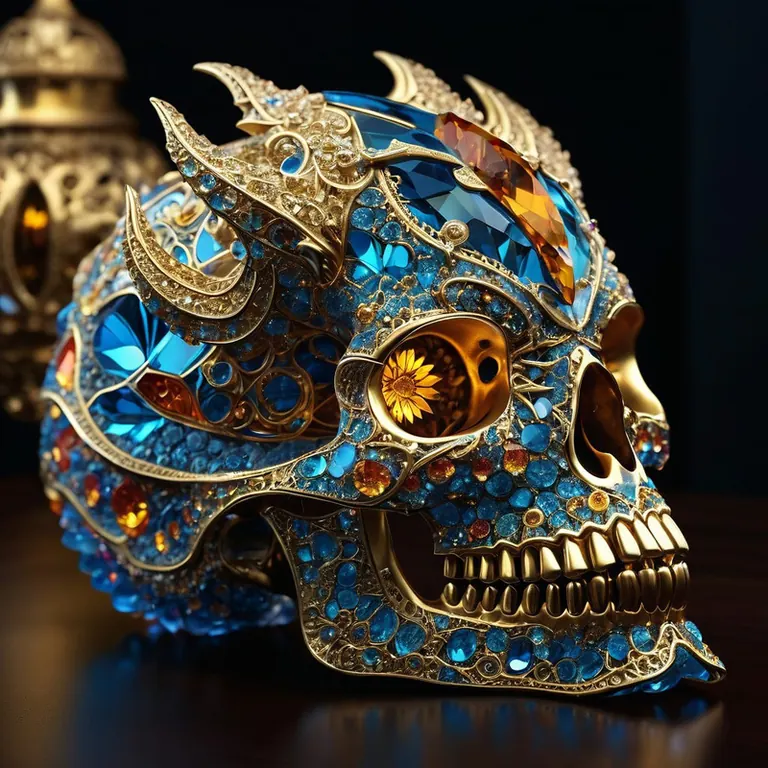

設定
サンプラー
DPM++ 2M Karras
ステップ
50
ガイダンス
7
シード
3524530703
サイズ
1024x1024
プロンプト
cs-cr1stal-v2 analog realistic Neo-Impressionism colour photo of a unicorn with 1 horn, very detailed, award-winning
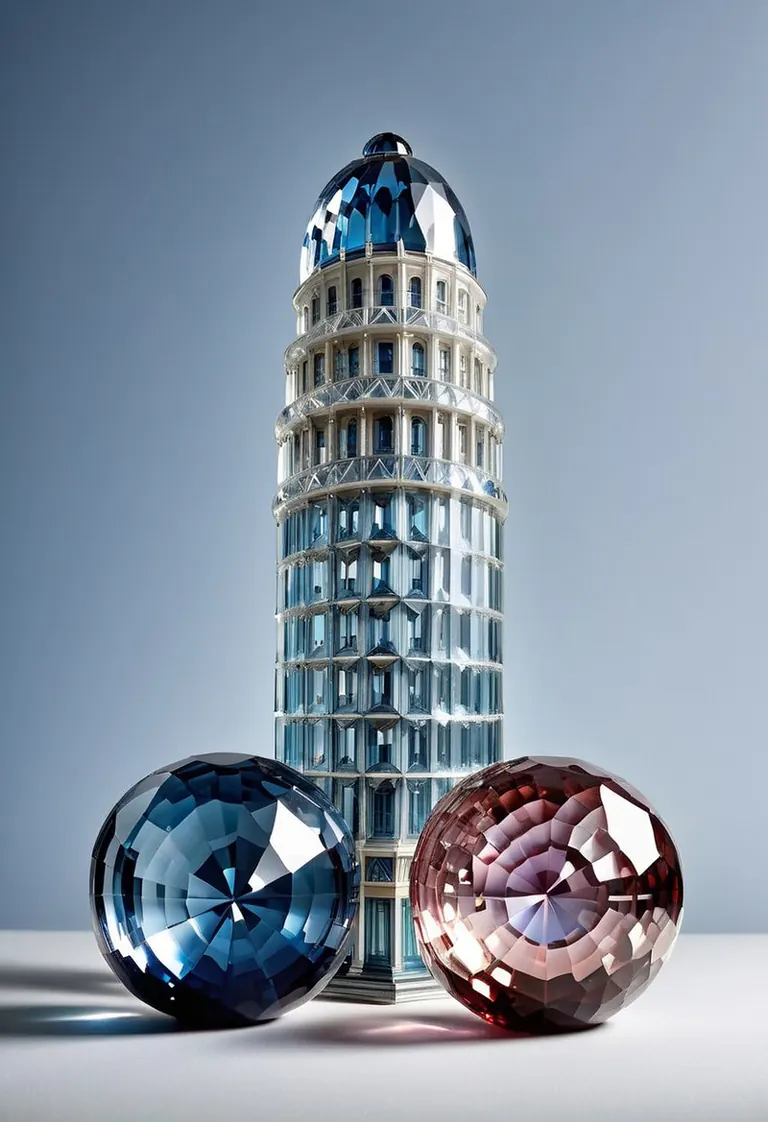
設定
サンプラー
DPM++ 2M Karras
ステップ
19
ガイダンス
5.5
シード
678574991
サイズ
832x1216
Clip skip
2
使用ウェイト
1
プロンプト
cs-cr1stal-v2 analog realistic colour photo of a skyscraper and two geodesiic domes, very detailed, award-winning, 2balls1shaft, still life, landscape
ネガティブプロンプト
worst aesthetic, low quality, blurry, clone, rainbow, bad hands, additional fingers, missing fingers,
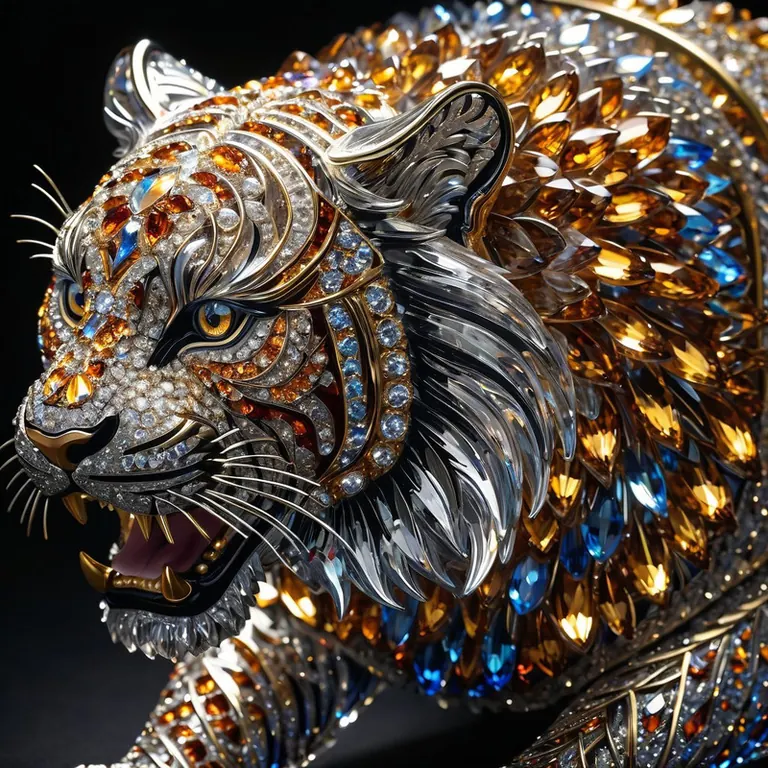
この作例にはプロンプトが共有されていません。
この作例にはプロンプトが共有されていません。
この作例にはプロンプトが共有されていません。
この作例にはプロンプトが共有されていません。
この作例にはプロンプトが共有されていません。
この作例にはプロンプトが共有されていません。
ローカルで実行






CrystaliTIXL は Stable Diffusion XL 1.0 ファミリー向けのLoRAで、オープンソース AI 画像・動画・テキストモデルの読み取り専用カタログ ModelTrends.ai に掲載されています。他の Stable Diffusion XL 1.0 モデルと比較し、ヒートスコアでトレンドを確認し、PirateDiffusion または BitVector で開いて試すことができます。
モデルファミリーから探す
Text / LLM モデル
434

Anima モデル
528

Chroma モデル
19
Fibo モデル
2

Flux モデル
1,496

Flux 2 / Klein モデル
1,239

Flux 3 モデル
3

Moss モデル
3

Iris モデル
1

MiniMax H3 モデル
364

Hunyuan モデル
204

Ideogram モデル
20

Krea2 モデル
717
Qwen モデル
20
Qwen2 モデル
47

Ltx2 モデル
153